Optimise your customer survey and increase response rates
Once a customer survey has been launched, only minor changes can be made. However, small adjustments are often enough to increase response rates while the survey is still running. You may achieve this by optimising the customer survey.
Useful statistics
Our survey tool provides the following useful statistics:
- Participation monitoring
- Completion time
- Questions viewed and answered
- Pages visited
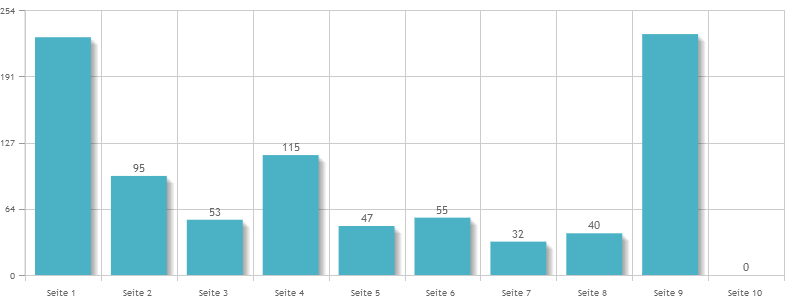
- Drop-off analysis
- Browser overview
- Operating system overview
These help you determine:
- Which pages take a long time to complete
- On which pages participants abandon the survey
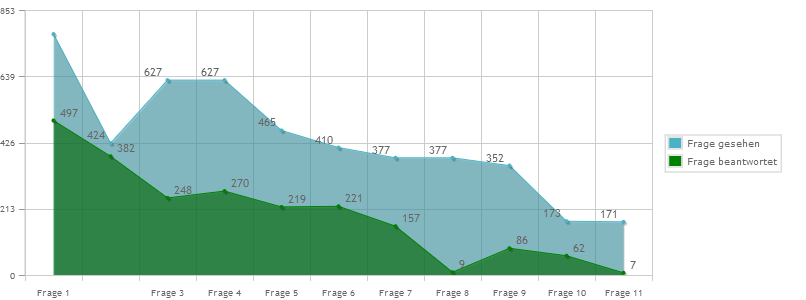
- Which questions are viewed but not answered
With this information, you can make targeted improvements to texts and response options while the customer survey is running.
Tip: If you do need to make more substantial changes — because, for example, you notice that all participants abandon the survey at the long matrix question on page 3 — contact us and we will enable this feature free of charge.
Example of a customer survey drop-off analysis
Example of questions viewed and answered