
With LamaPoll, you can tailor the layout and design of surveys to your requirements and corporate identity. Whether it concerns page structure, logos, fonts or colours, a survey’s visual presentation is more than merely cosmetic. It influences how your survey is perceived, how intuitive it is to use and how willing people are to participate. On this page, we explain what matters when designing online questionnaires, the difference between layout and design, and how a few simple adjustments can help you create a survey that is compelling both in terms of content and appearance.
Table of Contents
The difference between design and layout
The terms layout and design are often used interchangeably, but fundamentally describe different things — including when designing a questionnaire. While layout determines the structure and organisation, design shapes the visual appearance. The two are closely connected and both are important for ensuring that a page is not only convincing in terms of content, but also well structured and attractively presented.
To understand how to design your LamaPoll survey effectively, it is worth taking a closer look at the differences.
Definition of layout
Layout refers to the structural organisation of a digital interface. It determines how content is arranged on a page, which elements are visible, the order in which they appear and how users move through the content. Examples of layout elements include column grids and the placement of navigation, text blocks, images or form fields. In short, it is the complete spatial structure of a page.
Why layout matters for online surveys
When designing your LamaPoll surveys, the layout determines how questions are organised and positioned. The survey layout shapes the flow of your questionnaire and its usability. Here are some examples of how you can adapt the layout of your survey:
- Do all questions appear on one page or on separate pages in sequence?
- How many questions are displayed per page?
- Where are logos, headings or introductory texts placed?
- Is there a progress indicator, and how is the navigation designed?
- How are answer options displayed (for example side by side, one below another or divided into groups)?
- When are pages or individual questions shown or hidden?
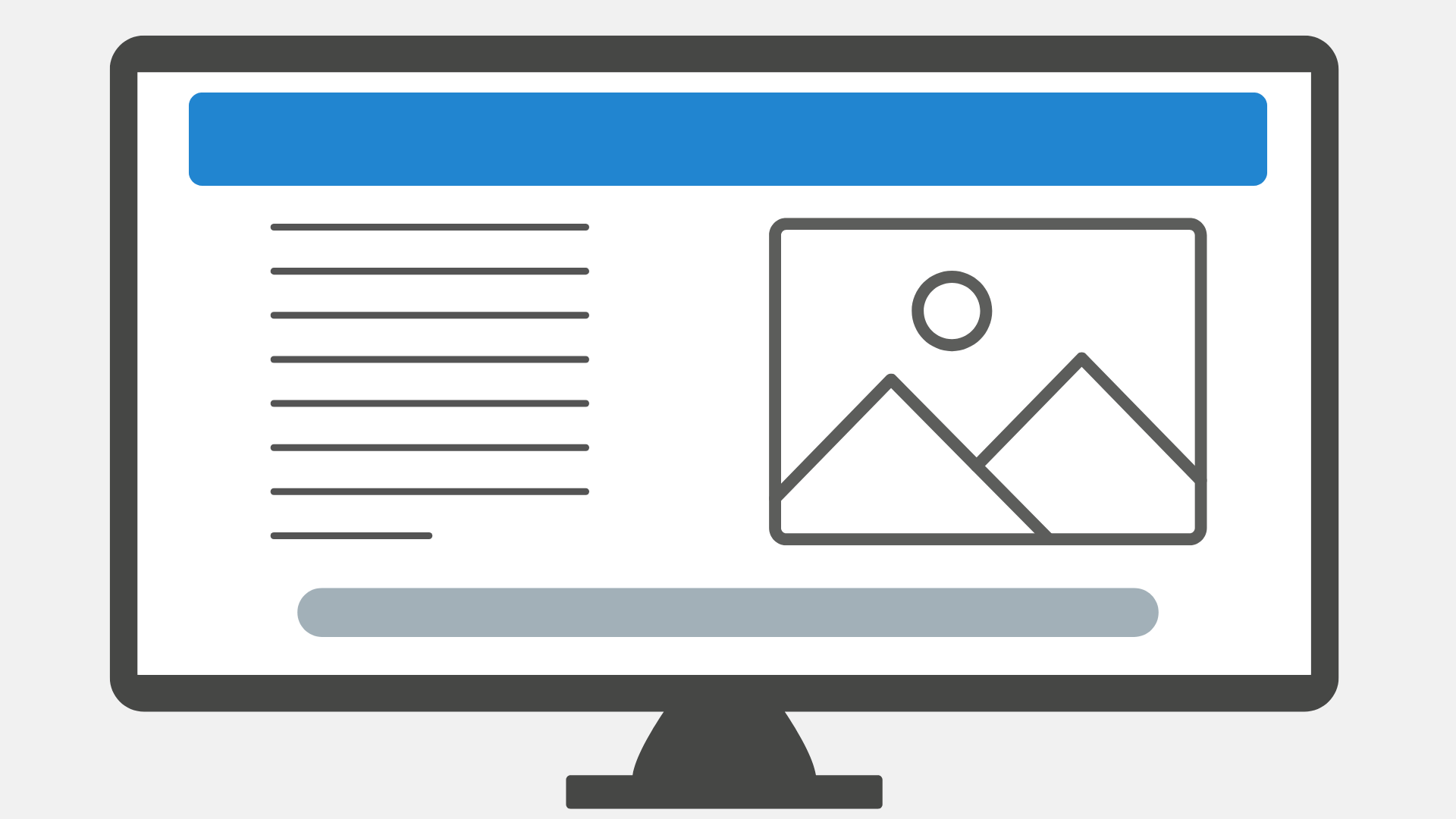
Fig.: Example of a page layout
Definition of design
Design refers to the visual appearance. In the digital sphere, it includes colours, fonts, shapes, icons, imagery and other graphic design elements. Design influences how something looks, the mood it conveys and how users perceive it.
Why design matters for online surveys
When creating an online survey, the design determines how the content is presented visually. A considered design not only makes your survey aesthetically appealing, but also reinforces your brand identity and can increase people’s willingness to participate — partly because the survey looks professional and trustworthy and is pleasant to use. Survey design includes aspects such as:
- The colours used for backgrounds, buttons, borders and text
- The choice and size of fonts
- The style and positioning of logos or background images
- The design of buttons (for example square or rounded, colourful or understated)
- The spacing and visual emphasis of individual elements (for example headings versus answer fields)
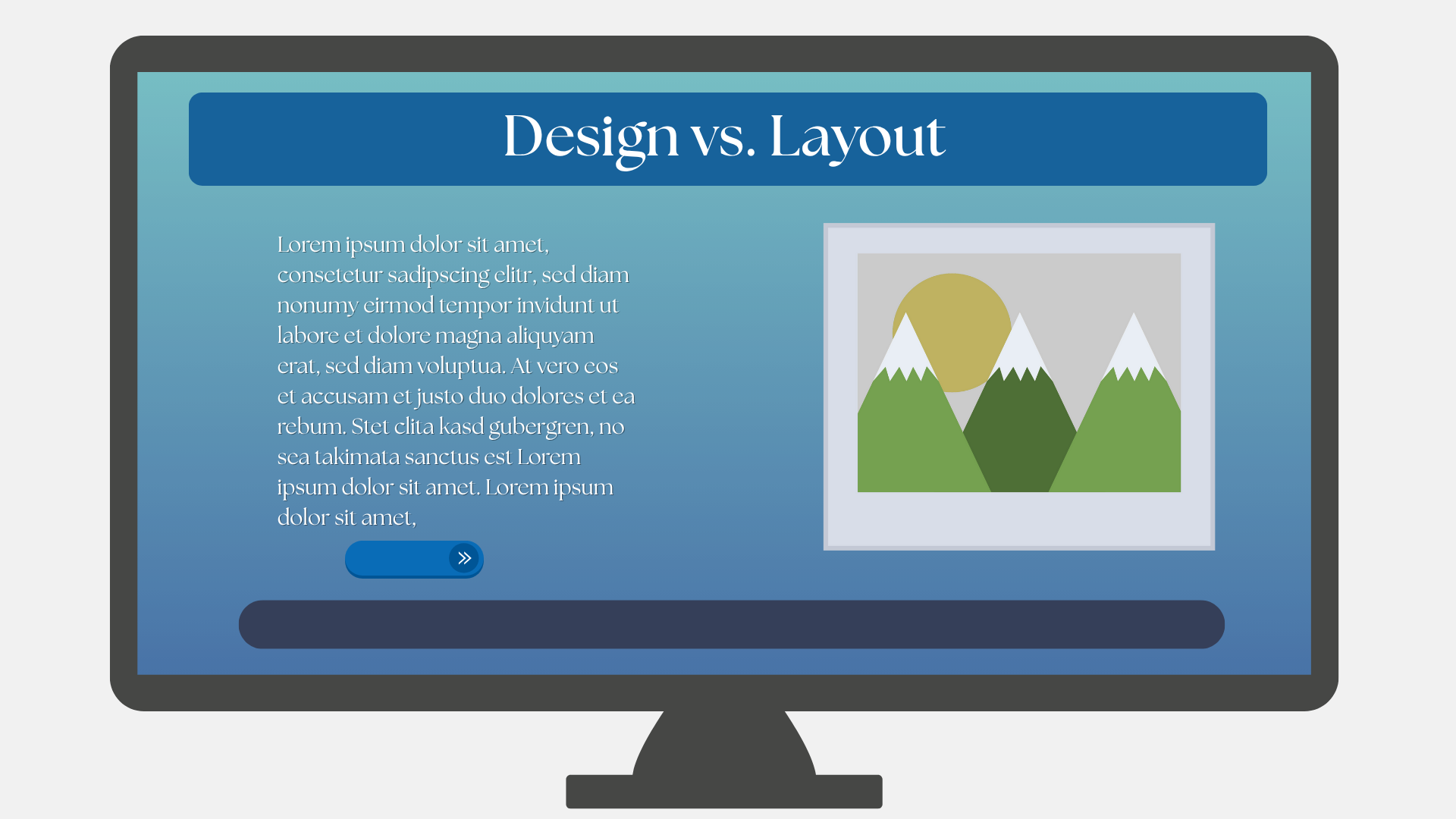
Fig.: Example of a page design
Layout
➔ Structural organisation of a page
• Determines which content appears where
• Defines the arrangement of elements
• Influences how users move through content
Design
➔ Visual styling of the interface
• Includes colours, fonts, spacing, icons and stylistic elements
• Conveys mood, brand impact and visual identity
• Makes content appealing and cohesive
Options for customising the layout of your LamaPoll survey
The layout influences not only how a survey is structured, but also how purposefully participants move through the questionnaire. Using practical examples, we show you which layout options you can use in your survey and the effect each one has. We have also listed a few tips on what to consider so that your survey works well in terms of both content and functionality.
Page structure and question flow
- One question per page versus several
One or a few questions per page can be useful for complex questions or detailed content. This creates a clean appearance and avoids distractions.
Several questions per page are suitable for short, thematically related questions that are best presented together. If you need to ask for a large amount of information, it is generally advisable to distribute the questions across several pages. - Welcome page and final page
When you create the survey welcome page, you can greet participants with a brief introduction, explain the context of the survey and build trust. On the final page, you can thank them for taking part and provide information about next steps or contact details.
-
Skip logic and conditional visibility
Skip logic and conditional visibility allow you to guide participants dynamically through the survey: they see only the questions that are relevant to them. This keeps the survey tailored and focused. It is particularly helpful for diverse target groups or topics with multiple branches.
-
Progress indicator, page numbering and question numbering
Elements such as a progress indicator and page or question numbers help participants understand how far they have progressed through the survey. This provides orientation, reduces uncertainty and can lower the abandonment rate — particularly in longer surveys. -
Adjusting the width of question fields
The width of question fields can be adapted to suit the design and content. A narrow field works well for focused individual questions, while a wider field is better for extensive matrices or text input. This keeps the presentation visually balanced and easy to read.
If your survey uses skip logic or conditional visibility, it is advisable to hide page and question numbers so that participants are not confused when numbers are skipped.
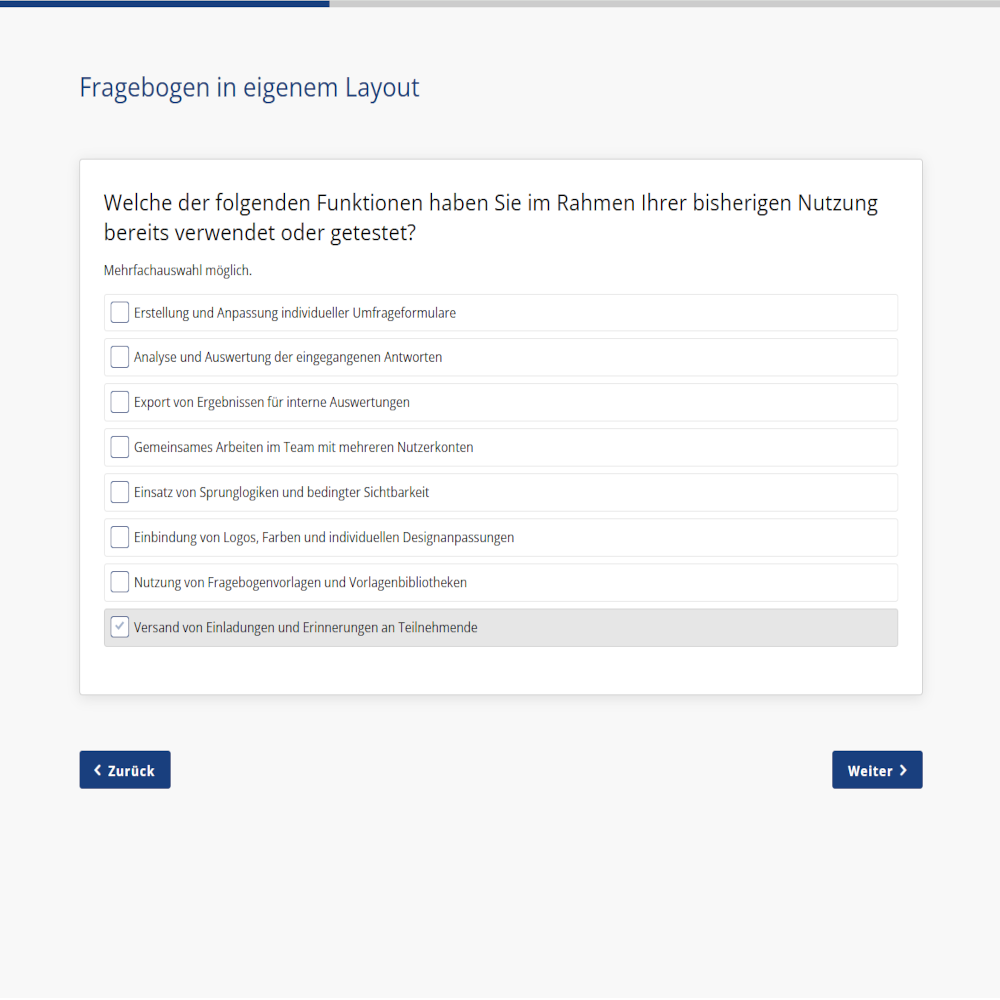
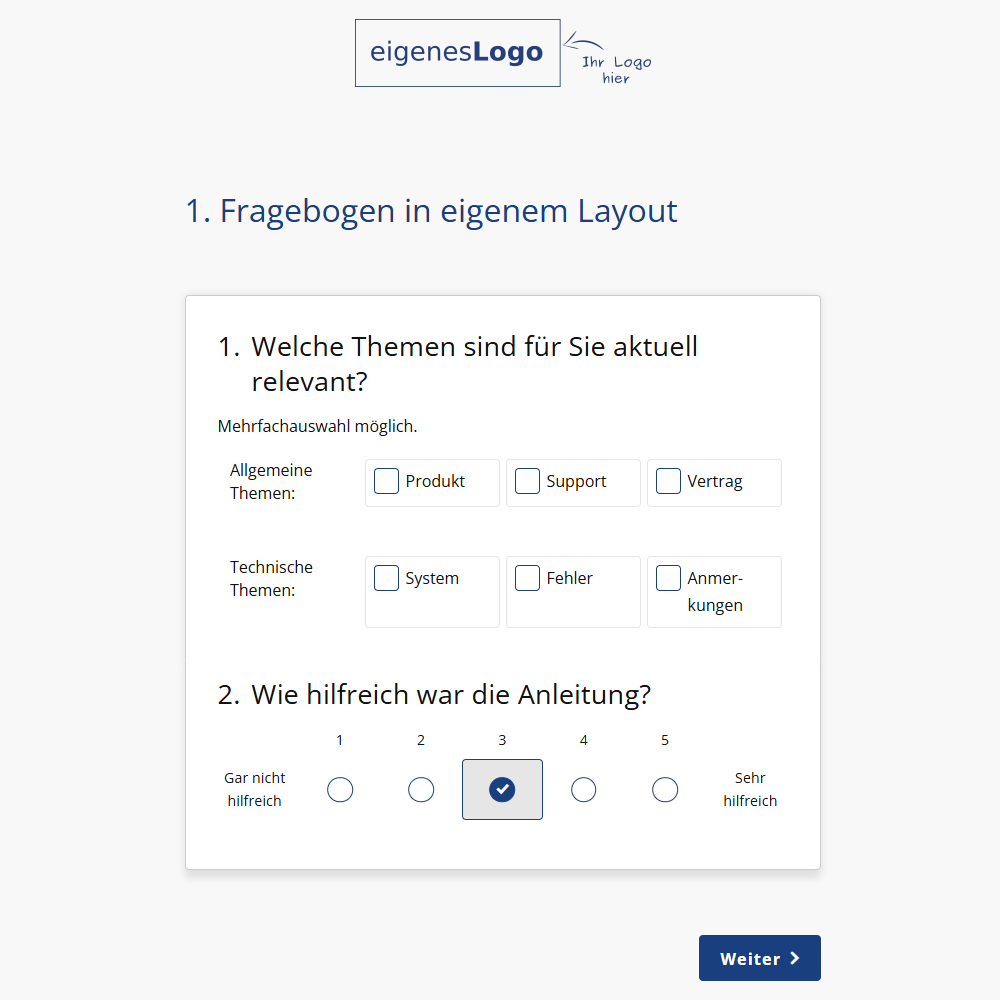
Fig.: Survey with a progress indicator, page numbering and an adjusted question-field width
Positioning content
- Logo position
You can add your own logo and display it on every page or selected pages. It can be positioned on the left, in the centre or on the right. Depending on the context and target audience, you can therefore add subtle branding to your survey or align it closely with your organisation. - Text blocks, images and videos
Text blocks can be inserted anywhere in the survey, for example as an introduction, explanation, section divider or additional note directly beneath a question. Images and videos can also be embedded to provide visual support or illustrate a point. For example, you can embed an explanatory or entertaining video. Instructions are available here: Embed videos in surveys. - Page titles
Each survey page can have its own title. This provides orientation, divides longer surveys into thematic sections and helps participants understand the context of the content. -
Footer
The footer can be shown or hidden as required. It can be used for legal notices, links to the legal notice and privacy policy, contact details or subtle branding. It may also be deliberately hidden to keep the survey as neutral as possible.
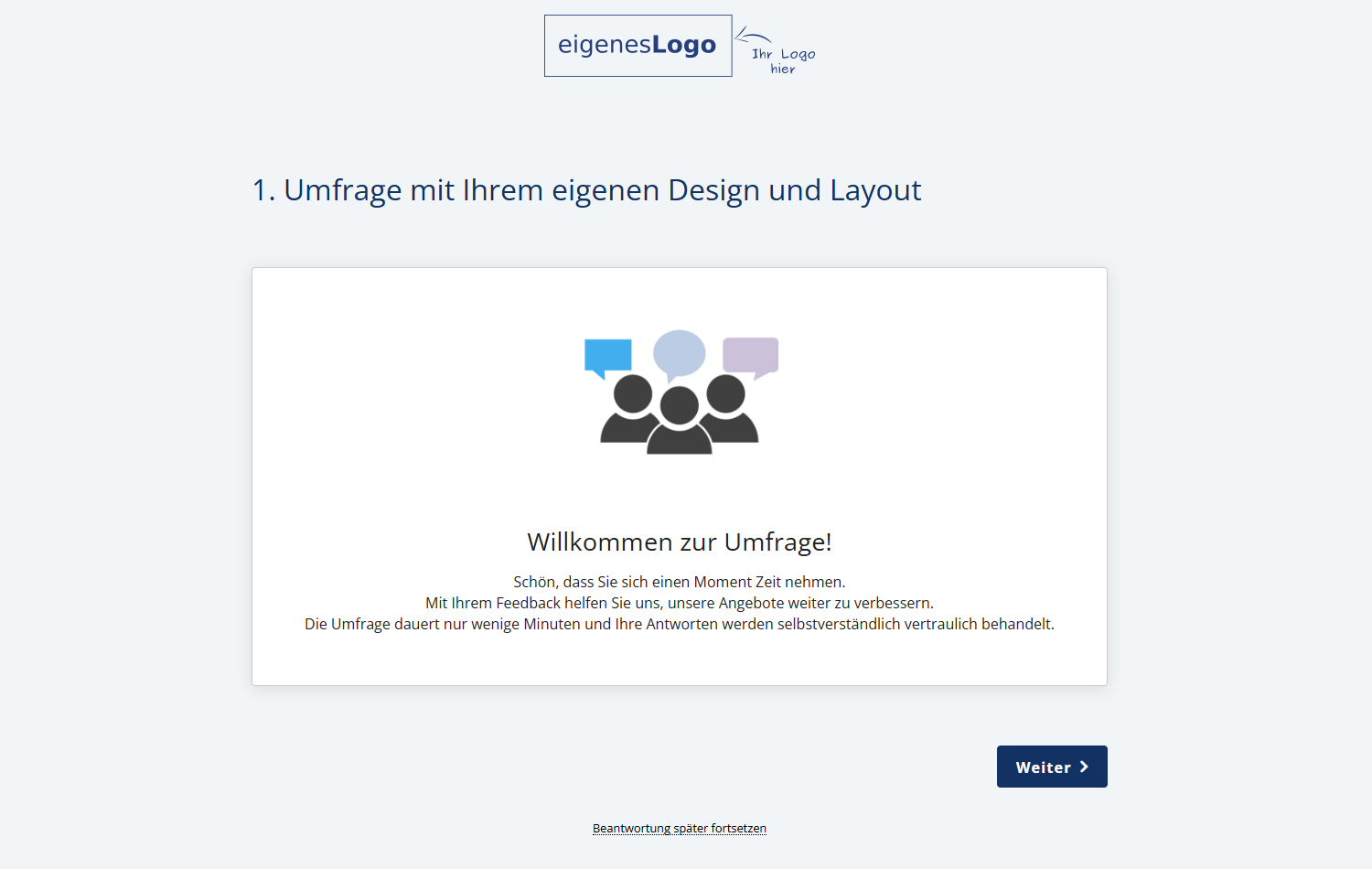
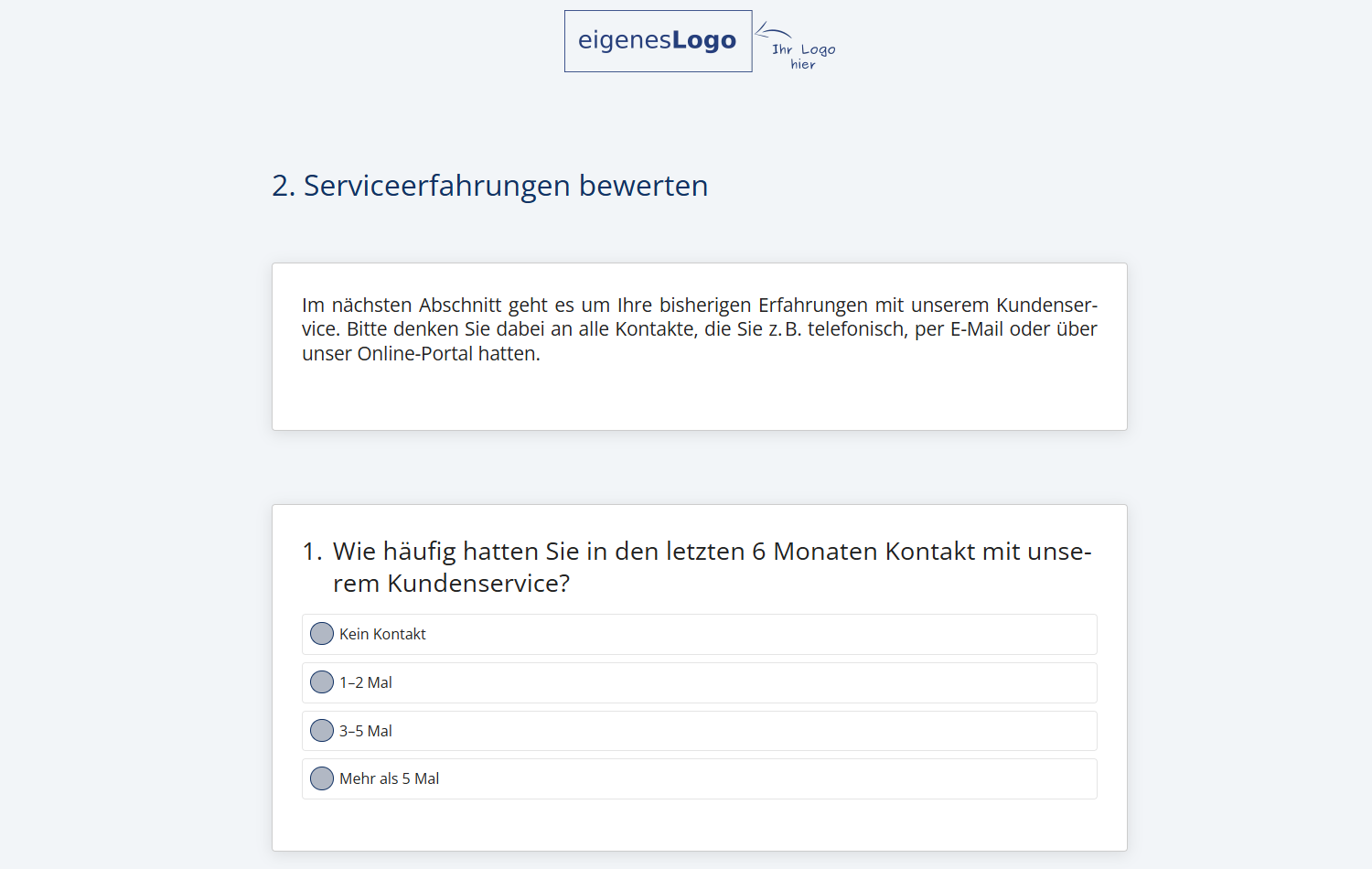
Fig.: Survey with a logo, page title and a text block containing an embedded image
Displaying answers
Answer options can be arranged horizontally, vertically or in groups, depending on which format is clearest for the question. For open-ended questions, you can also choose between a large and a smaller free-text field.
- Horizontal arrangement
Answer options can be arranged side by side. This is particularly useful for short, easy-to-scan answers. It saves space and creates a compact appearance.
-
Vertical arrangement
For longer answer texts or a large number of options, a vertical arrangement is clearer. The answers are displayed one below another, making them easier to scan and improving readability and clarity.
-
Grouped display
If there are many answer options that can be organised by topic, grouping them is useful. Similar content can be combined into categories, helping participants find the appropriate answer more quickly.
-
Open-ended questions
Open-ended questions can also be customised. Depending on whether you expect a brief response or a more detailed answer, you can select a large or small free-text field. The small field is suitable for keywords or individual terms, while the larger field is intended for explanations or comments.
We have clearly presented examples of different question types and their respective answer formats on our question types page.
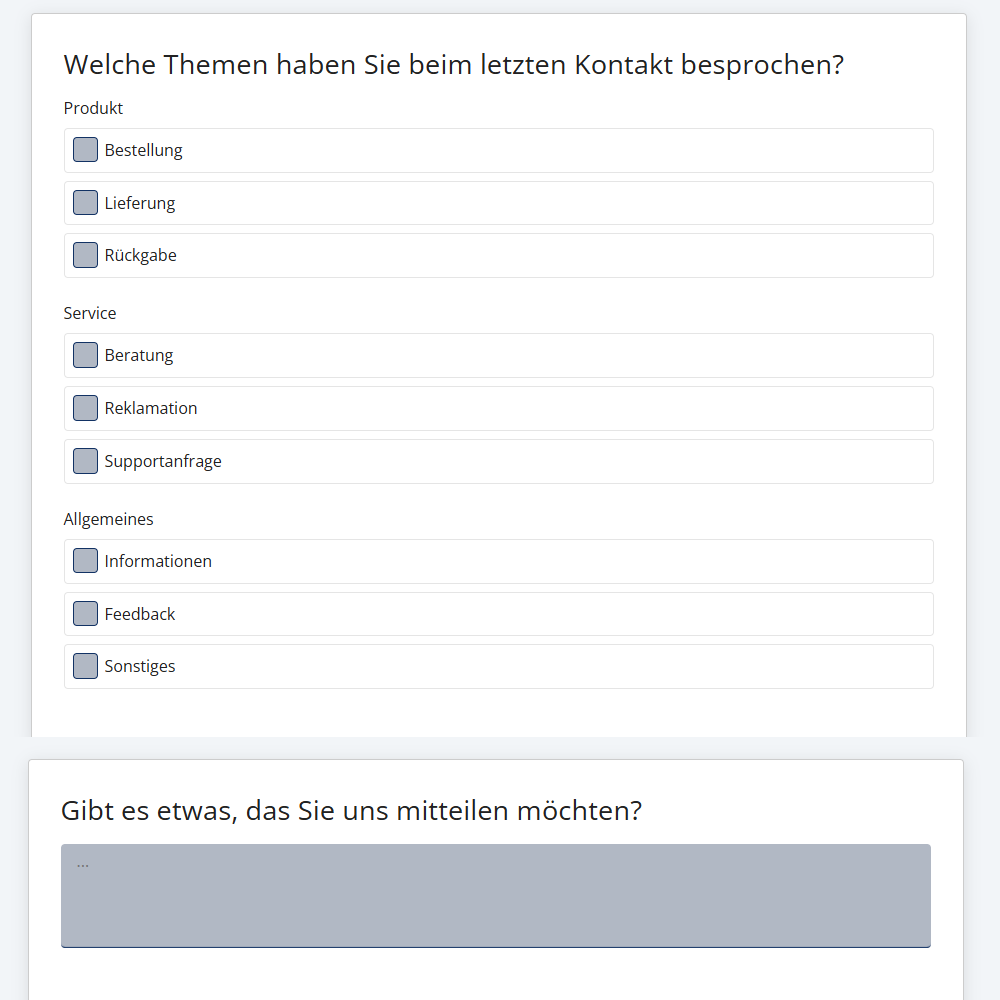
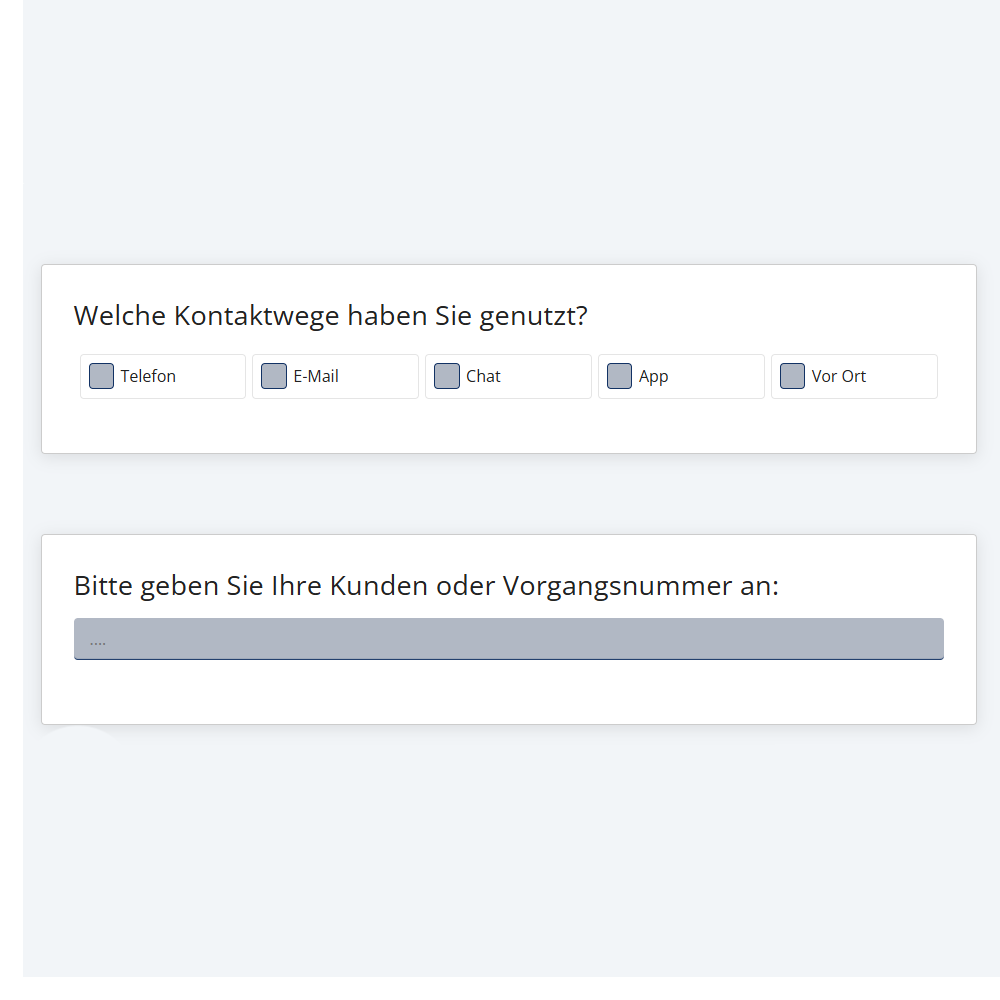
Fig.: Survey with different answer arrangements
Final page and redirect
- Set a final page
You can designate a specific page as the final page. The survey will end automatically after this page. You can add a thank-you message or other concluding information to the final page.
-
Redirect from the final page
When participants complete a survey, they can be redirected automatically to any page, such as a thank-you page, your company website or a dedicated landing page. Please note: this feature is available from the Basic plan upwards.
Options for customising the design of your LamaPoll survey
The design of a survey has a significant influence on how it is perceived and how easy it is to use. LamaPoll provides various options for tailoring the visual design to the intended purpose, including colours, typography and graphic elements. The following section provides an overview of key design options involving colours, contrast and typography.
Colour scheme and contrast
- Corporate colours
Colours can be tailored to your corporate design. This allows the survey to fit seamlessly into your brand communications and immediately appear familiar and professional to participants. - Colours for individual elements
Individual elements such as buttons, text or borders can be styled in different colours. This allows you to add specific accents, highlight important areas or adapt the entire survey visually to your style or purpose.
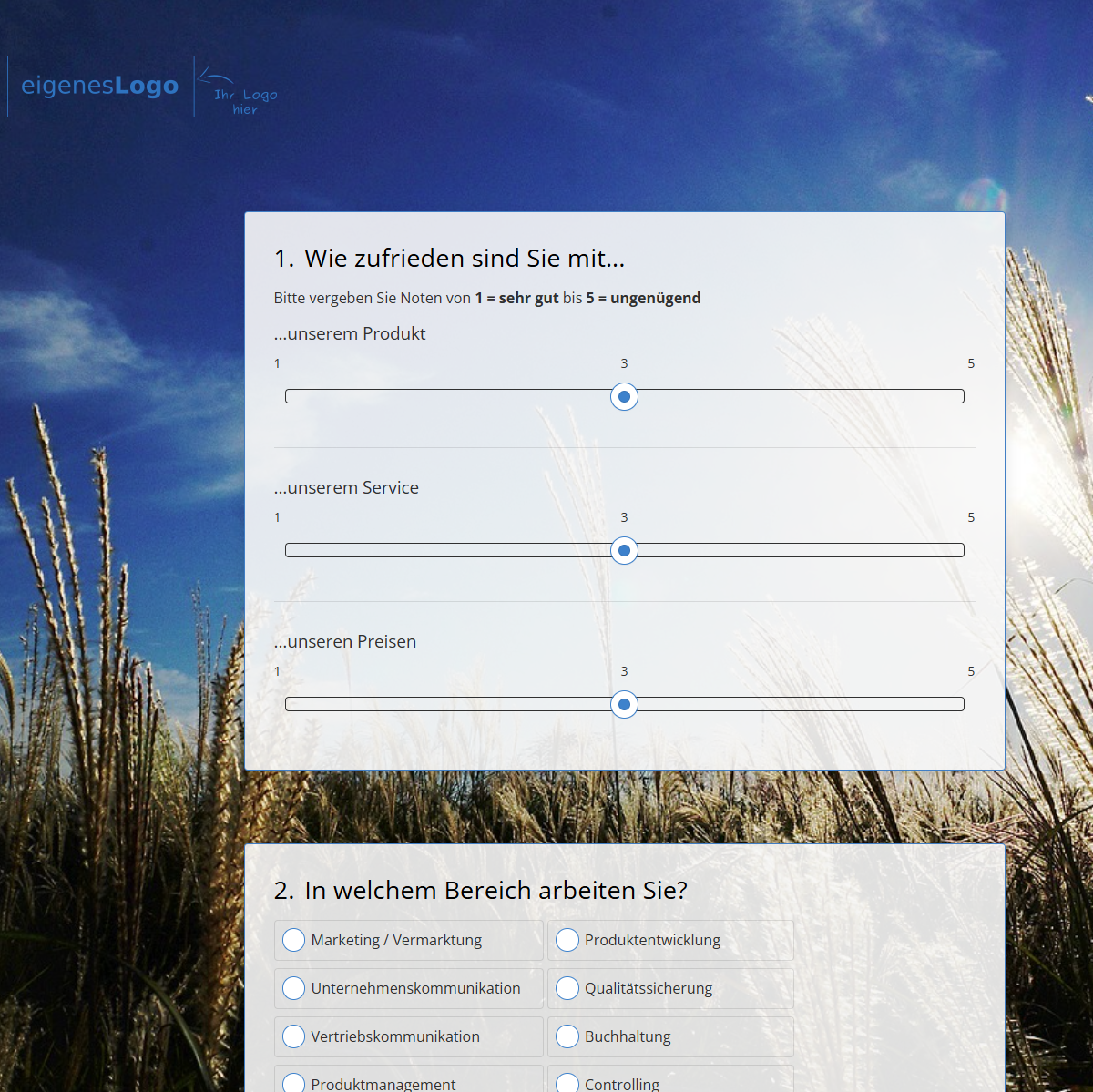
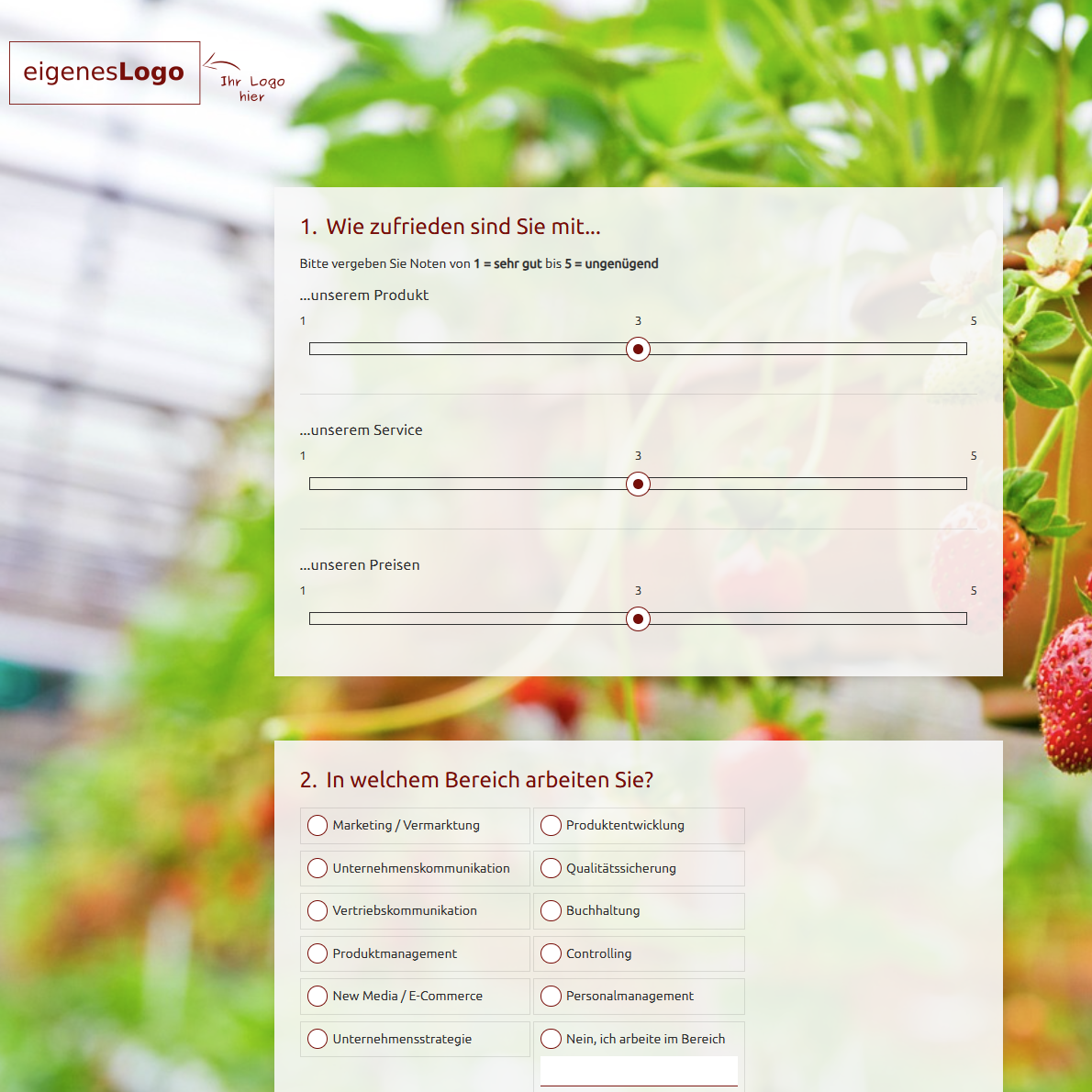
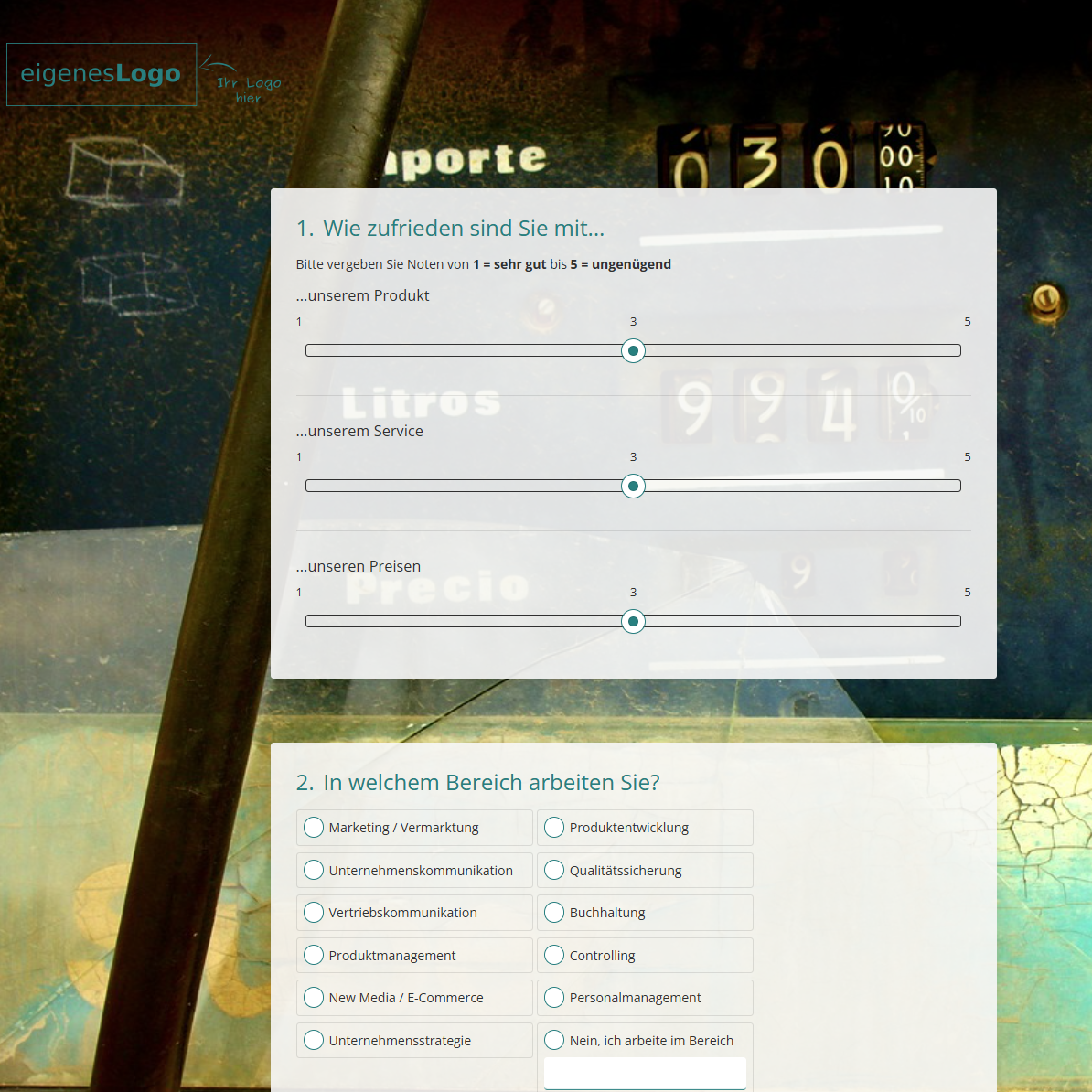
| Blue survey | Red survey | Turquoise survey |
Fig.: Surveys with different colour schemes
Typography
- Fonts and font sizes
The font and font size influence not only readability, but also the tone of your survey. Different fonts can make it appear formal, modern or playful. You can tailor both to reflect the style and target audience effectively.
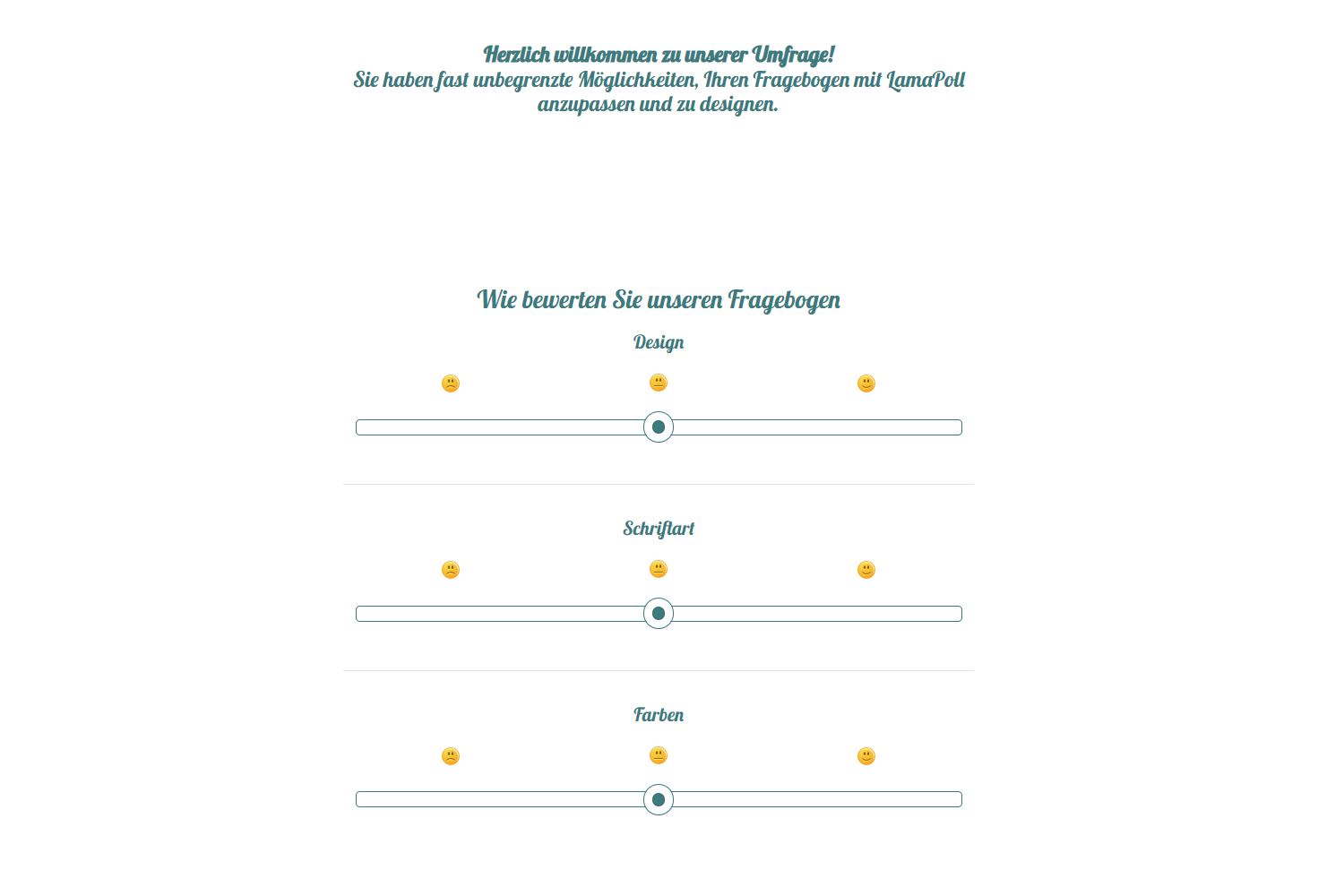 Fig.: Survey with a customised font
Graphic elements and background
-
Background colour versus image
Whether you choose a uniform background colour or add your own background image, it can have a strong influence on how the survey is perceived visually.
-
Transparency
You can adjust the transparency of question fields so that they blend more naturally into the background, for example when using image-based backgrounds. This keeps the design modern and light without compromising readability or distracting from the content.
A busy background image or insufficient contrast can make text much harder to read. Choose background images in neutral colours with sufficient contrast, or use a solid-colour background.
Layout and design are also important when creating accessible surveys. Find out what to consider for accessible online questionnaires here: Create an accessible survey — tips
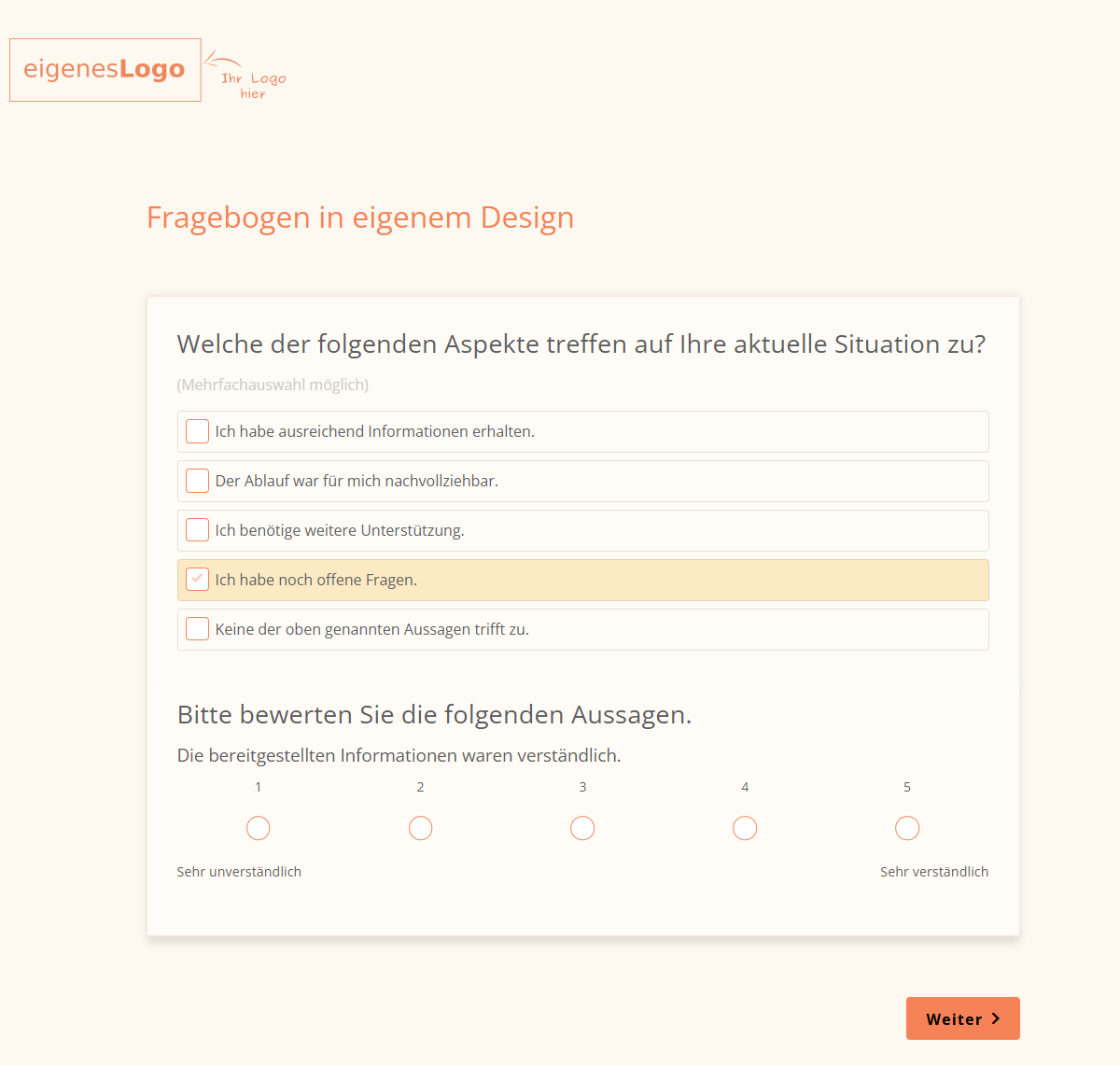
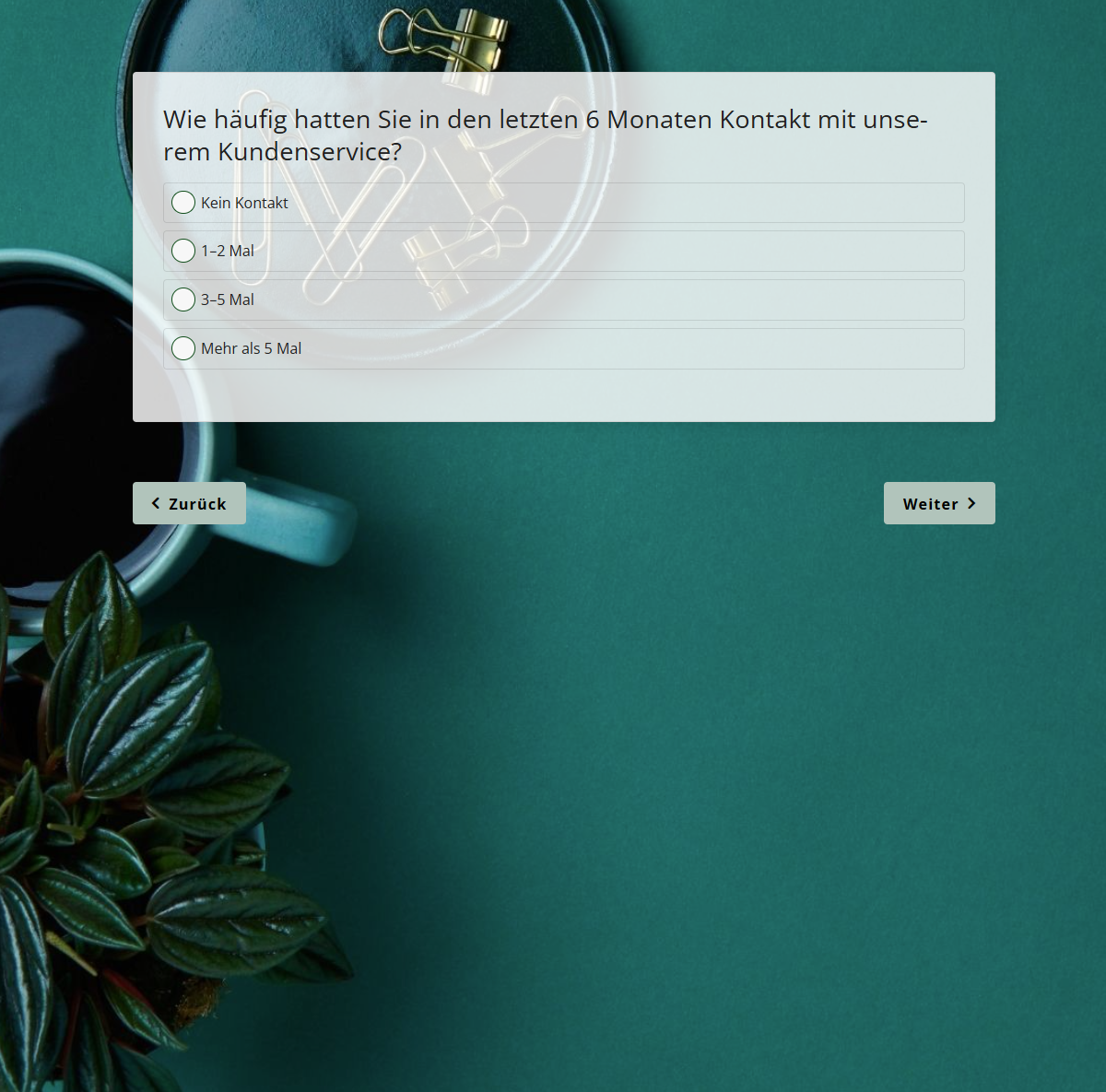
Fig.: Surveys with adjusted transparency and different backgrounds
-
Custom CSS
For special design requirements and maximum creative freedom, you can add your own CSS rules. This allows you to customise the layout and design in detail. Find out more in our help centre: CSS rules
Our help-centre article on design features explains step by step how to add images, change fonts, adjust colours or add custom CSS. It provides practical instructions for all the design options available in LamaPoll.
Why a custom layout and design matter
Brand recognition and corporate design
A consistent visual identity is an important part of professional communication. This also applies to online surveys that your organisation distributes to customers, employees or other potential participants. Using design elements such as colours, logos and fonts consistently creates recognition, builds trust and strengthens your brand image.
LamaPoll surveys can be tailored to your organisation’s corporate design. By using logos, corporate fonts and brand-compliant colour codes, you can make your survey part of your brand communications. A professional first impression is particularly important when your target audience includes customers, external partners or applicants. A survey that matches your corporate identity is also more memorable, builds greater trust and strengthens people’s connection with your organisation.
Understated design for neutrality
Not every survey should stand out visually. In scientific, political or psychological contexts, a neutral design is often desirable to preserve objectivity and encourage unbiased responses.
With LamaPoll, you can keep a survey sufficiently neutral that visual elements do not distract from the questions themselves. Instead of conspicuous colours and branding, you can use clear contrasts, legible fonts and a simple interface. This keeps the focus on the content without introducing visual bias. In a scientific context, an understated design can even influence the quality of the data collected by avoiding conscious or unconscious cues that might steer participants in a particular direction.
Ease of use through the right layout
A clear structure plays an important role in preventing participants from abandoning a survey early or finding it confusing. The layout determines how easily users can orient themselves and how quickly they can understand the content.
With LamaPoll, you can adapt the structure of your survey to its context of use:
- Should several questions appear on one page, or just one question per page?
- Should page numbers or question numbers be displayed?
- How large should answer fields be?
- Where should navigation elements be positioned?
A well-considered layout groups content meaningfully, arranges input fields logically and positions navigation elements clearly. This not only improves participant satisfaction, but also increases the number of completed questionnaires. People who can find their way around easily make fewer input errors and are more likely to continue to the end.
Integrating the survey into your organisation
In addition to visual customisation, LamaPoll allows you to integrate surveys fully into your own digital infrastructure, without any visible reference to the provider.
The white-label option removes all references to LamaPoll, allowing your unbranded survey with a neutral domain to appear entirely under your own name. Participants remain within the familiar environment of your own website without any visual disruption, which can increase their willingness to take part.
You can check whether your survey’s design and layout work as intended by conducting a pre-test. This allows you to verify in advance that participants can move through the survey without difficulty.
Conclusion: use layout and design purposefully
Designing an online survey does not end with writing the questions. A functional layout supports a logical structure and a smooth user journey. The design, in turn, provides scope for fine-tuning the visual presentation to suit the aim of your survey. With LamaPoll, you can tailor both to your objectives, target audience and visual identity, whether you want the result to be factual and neutral, consistent with your brand, or creative and attention-grabbing.
If you want to get started straight away without beginning from scratch, LamaPoll offers numerous questionnaire templates with different layouts and designs. You will find templates for topics such as customer satisfaction, employee feedback, event evaluation and academic research. Simply choose a template and customise it to your needs.
What is LamaPoll?
LamaPoll is a survey tool for creating online questionnaires. Our survey tool lets you create, run and analyse online questionnaires quickly and easily. Create your questionnaire in just a few steps, customise it for your organisation and conveniently invite customers or employees by email. An online questionnaire enables you to gather insights quickly and easily to improve customer or employee satisfaction. You can register for the LamaPoll survey tool free of charge and immediately create and run online surveys with up to 50 participants. If you need more responses for your online questionnaire, simply choose one of our plans: billed monthly, cancel any month. You can also choose from our online questionnaire templates and examples.


























































