The right question types determine whether your online survey will succeed. Only by combining your content with the right question options will you obtain meaningful information from your respondents that helps you when analysing your survey. Good preparation is therefore essential, along with an understanding of which question types offer which specific advantages and when to use them. In the following, we give you an overview of our LamaPoll question types, show you how and where to use them effectively and finally explain the advantages and disadvantages of each variant.
Using question types in surveys: what to keep in mind
When creating surveys, it is essential to use the right question types in order to obtain usable results. Many online surveys consist exclusively of multiple-choice, single-choice or matrix questions. It is better, however, not to rely on these three types alone. Constant repetition quickly bores respondents and makes them inattentive. The consequence for you: poor survey results. Take the time, therefore, to explore our range of questions and their customisation options in order to create an engaging and meaningful survey.
Different question types not only add variety to your surveys, they are also indispensable in most use cases. Often it is not enough, for example, to ask participants only to rate individual items; you also want to ask about the relevance of each item. Or to add comment fields to rating questions so that participants can explain their rating and suggest changes if needed. In this way you learn not only how well or poorly something is rated, but also where there may be room for improvement. A rating question with a comment field is useful, for instance, when measuring customer satisfaction (CSAT).
There are also several question types that help you capture very specific scores. For surveys that measure the Customer Effort Score or the Net Promoter Score, for example, there are ready-made question types with the appropriate scales. Such a survey could not be carried out adequately with classic single- or multiple-choice questions. Feel free to draw on our extensive selection of question types, which makes it easier for you to run successful online surveys.
When creating surveys, feel free to use our examples, which present the different question types and display formats. We have clearly prepared an overview of various question types in these questionnaires:
Constantly repeating the same question type is perceived as boring by survey participants and often leads to poor results. With our range of questions and the customisation options for your questionnaire, you can master not only entertaining surveys but also academic evaluations with specific question types!
Open and closed question types in the online questionnaire
At its core, an online survey is about encouraging participants to give honest and meaningful answers. Only then will you ultimately obtain worthwhile survey results that help you reach your objective. To generate these valuable results, you have the choice between open or closed question options when creating your questions.
The difference is quickly explained: with open questions - also known as open-ended questions - participants can use a free-text field to give their answers individually, freely and in detail. Closed questions, by contrast, provide the answers, so that participants only have to choose one or more answer options.
But which question type is better? There is no blanket answer, as both have their place. What matters is where you place your focus and which goal you are ultimately pursuing. In general, it is advisable to use a varied mix of open-ended and closed questions. This ensures, on the one hand, that there is enough room for the thoughts, opinions and ideas of your survey participants and, on the other, that you get the answers you need for further processing.
Open questions: advantages, disadvantages and examples
Open questions are a valuable tool for giving respondents the freedom to express thoughts and opinions in their own words.
For such open-ended questions, use free-text fields that participants fill in individually with content of their own choosing. This gives you the following advantages:
- room for personal opinions, comments, thoughts, wishes and ideas
- space for criticism and feedback
- discover fresh impulses, perspectives & new points of view
- nuanced answers possible
- more flexibility to express thoughts freely
- ideal for requesting and verifying contact details, numerical entries or initial text
As for the disadvantages of open-ended questions, we can reassure you: there are hardly any. When analysing them, however, you should expect more effort than with, say, choice questions, because open questions give you individual, detailed answers. If you are planning a survey with a large number of participants, we also advise you to use open questions more sparingly. That way you can be sure your analysis does not become too complex. It also keeps the completion time for participants manageable. The more open questions you ask, the longer completion can take and the more it may deter survey participants.
Feel free to use our practical overview of open-ended questions with very concrete examples for your LamaPoll survey.
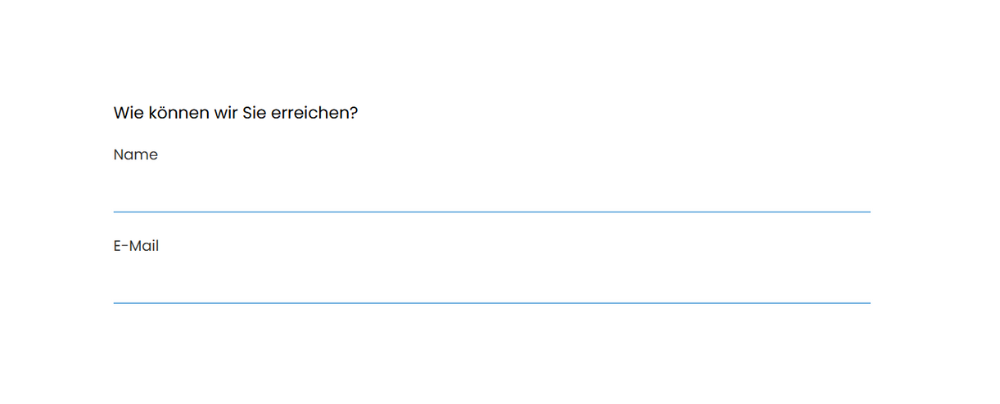
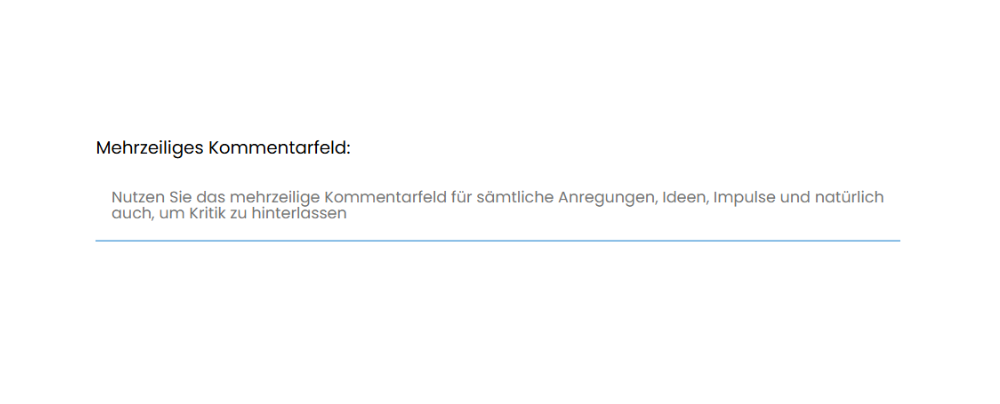
Fig.: Use open-ended questions to request contact details or to gather criticism, opinions and the like.
Special question: file upload
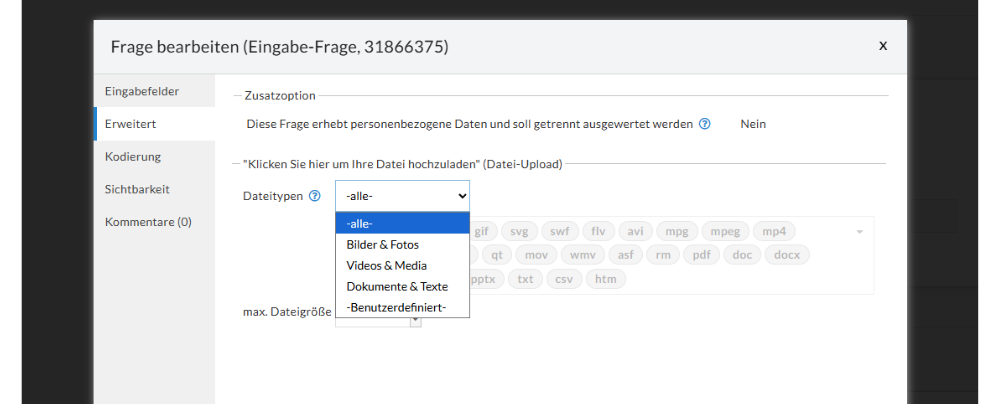
With a file upload, you give participants the option to upload various file types easily and directly within the questionnaire. You select the element itself directly from the LamaPoll special questions and can then define whether all file types or specific ones (images & photos, videos & media, documents & text, or custom types) may be uploaded. The maximum file size can also be set.
Examples: Your organisation is planning an annual awards ceremony. Beforehand, interested parties can qualify to take part by submitting suitable videos via a questionnaire with a file upload. You can then download, review and consider these videos for the award in the survey results and samples within the analysis area.
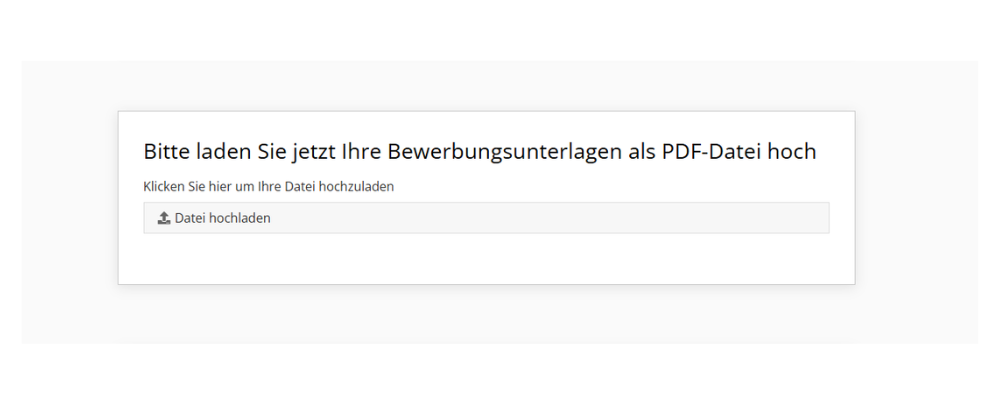
The file upload is also ideal for capturing numerous documents such as application papers, references or other documents directly through a questionnaire. You can find more tips on uploading documents in our blog: How can I have documents uploaded
The upload process itself is very simple for participants. After clicking the "Upload file" field, participants only need to select the appropriate file. Use the question text to explain the process and to indicate the required file formats for the upload.
At this point it can also make sense to mark this question as mandatory. Participants cannot continue the questionnaire without a file upload and therefore cannot forget anything - and you receive the relevant files in any case.
Closed questions: advantages, disadvantages and examples
Whether choice questions, rating questions, matrix or ranking questions: all types of closed questions use pre-selected answers. Precisely because you, as the question author, have already made a pre-selection of the answer options, comparability during the subsequent analysis is particularly strong. If you want to conduct a survey with many participants, closed questions are a good choice.
Choice questions: single & multiple choice
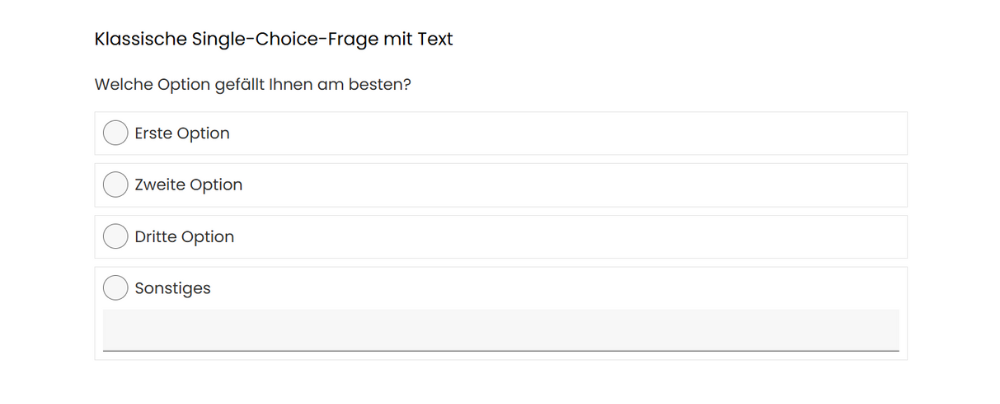
Single- and multiple-choice questions are choice questions in which survey participants can decide on one or more pre-selected answers. In general, these answers should be worded so that they are clear and unambiguous and do not overlap in content. Single-choice questions are particularly suitable when you want to determine a clear opinion, classification, preference or decision, because here respondents choose exactly one answer. A good example is asking for the date of birth or gender. Classic yes/no questions also fall into this category. With multiple choice, by contrast, selecting several answers is possible or even necessary.
Multiple-choice questions are easy to answer, analyse and evaluate. They are suitable, for example, for testing knowledge in a targeted way, as in an online quiz. They also give you the option of generating a lot of information at once. An example: you invite your employees to an online survey on job satisfaction and ask the question "What bothers you about your work?". Participants have to settle on four pre-selected answers from a larger pre-selection. In this way you efficiently gather a large number of responses in one go, helping you form an overall picture.
When creating a multiple-choice question, decide from the outset how many answers are permitted. This gives participants a concrete framework that helps them answer quickly. With both options - single or multiple choice - you can also add a field for comments or other input such as criticism, ideas or remarks.
You are also spoilt for choice when it comes to design. Use a horizontal or vertical layout, for example, or use images instead of written-out answers to add visual variety.
Although single- and multiple-choice questions have numerous advantages and are ideal for statistical analyses and quantitative evaluation, they can, under certain circumstances, also bring disadvantages. As with all closed questions, most answers are predefined and thus inherently limited. Additional impulses, new approaches or longer answers can only be generated via supplementary free-text fields, which can certainly be worthwhile. If you dispense with free-text fields entirely, you may lose important aspects and qualitative insights.

Choice questions: drop-down lists
Drop-down questions are single-choice questions and offer a list of answer options in a drop-down menu. All answers are hidden at first glance and only become visible on click. The big advantage here is the compact arrangement. Participants often feel overwhelmed by a lot of text and numerous answer options. A space-saving drop-down list counteracts this, because the page of your online questionnaire looks visually tidier and less cluttered. This not only improves usability but also lowers respondents' inhibitions about giving an answer.
Even so, it is better to use drop-down questions with care, as an abundance of options can be tiring and may lengthen the response time through extensive scrolling. Ideally, use this question type for asking about the current department within the company or - in global surveys - which country participants live in.
Ranking questions: drag & drop and setting priorities
In ranking questions, predefined options are sorted into the correct order or prioritised by importance or preference. Ideally, use the drag & drop question type for this. It adds visual variety to the questionnaire and asks a little more of respondents than simply clicking on a question. As the name suggests, in a drag-and-drop question the answer options have to be brought into the correct order or the order the respondent considers best. This is done by “dragging” the answer directly to the desired position. Sorting is usually by descending priority - the most fitting, correct or important answer is placed at the top. Ranking questions, by the way, belong to the choice questions.
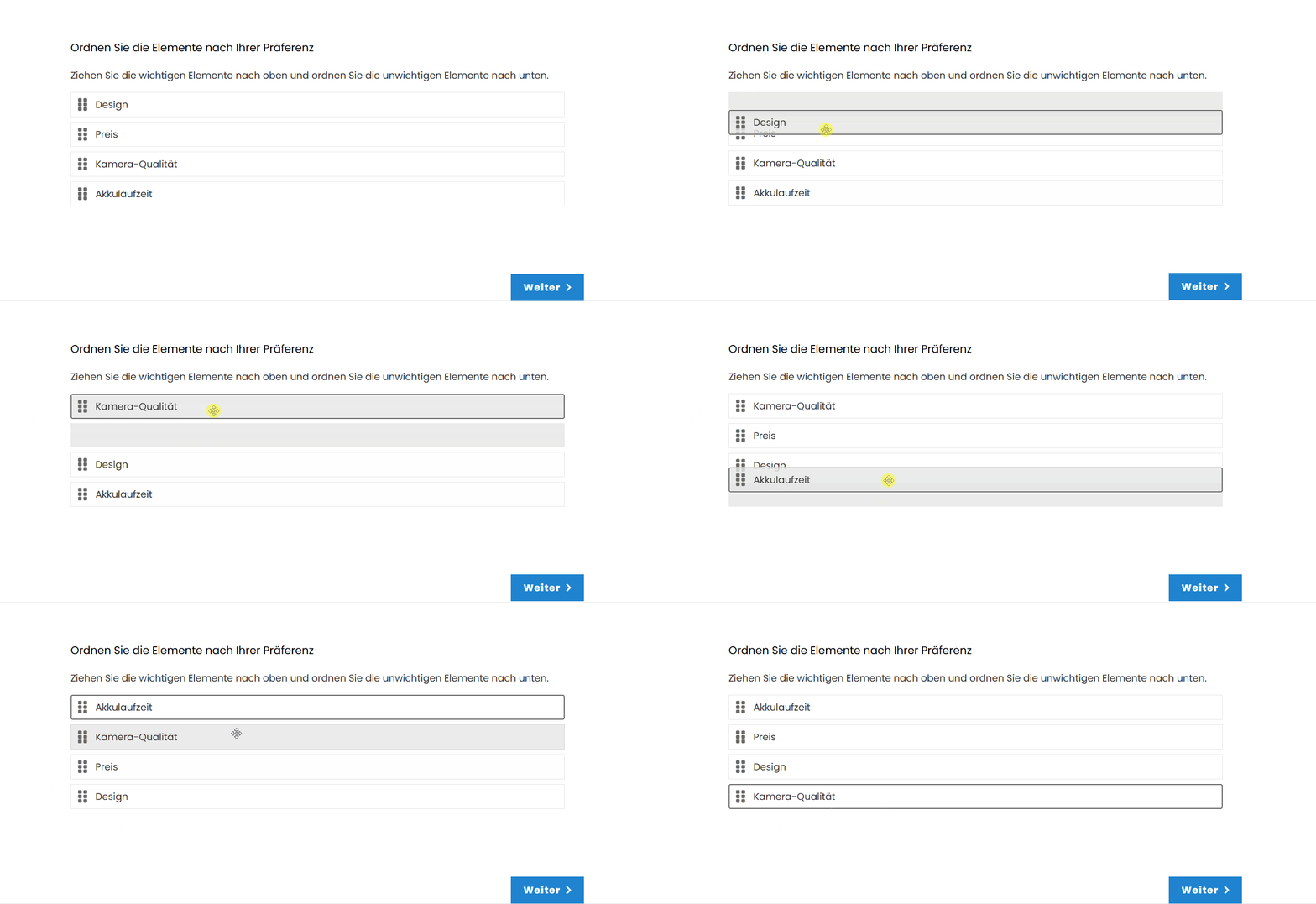
Gif: Drag-and-drop ranking questions can be used to ask about preferences or priorities.
An example: Before launching a new product, you want to ask your customers for feedback as part of feedback in product management and use an online questionnaire. Here respondents can express what generally matters most to them when buying the relevant product category - for example, when purchasing a new smartphone. Is it the price, the camera quality, the design or the battery life? Drag & drop lets you carry out a meaningful prioritisation this way, giving you insight into whether your product meets customers' expectations.
In short, drag-and-drop ranking questions are varied, interactive and liven up your online survey. So do make sure to use them where appropriate. Note, however, that you should not offer an endless number of answers, as the sorting can quickly become confusing and time-consuming. In addition, the answers should be clearly worded and clearly distinct from one another for better understanding.
Keep your audience in mind, too. Do all respondents understand the drag-and-drop system? In terms of accessibility and complexity, this question type is not recommended without reservation. Moreover, older browsers do not always display the question correctly. When in doubt, fall back on the option of having pre-selected answers rated with points or percentages via an open-ended question.
Rating questions: classic rating questions, smiley ratings & star ratings
Use rating questions so that participants can easily give a direct assessment, opinion or level of satisfaction. You can choose to combine one or several rating questions within your LamaPoll survey. Usually you start with a specific question, such as: "How do you rate our service?" or "How satisfied are you with our product?" and provide a rating framework for the answer straight away. A range from "very poor" to "very good" is common, but you are entirely free in how you label and scale the rating.
Another variant is symbolic rating using smileys and their emotions - from sad to happy. The smiley rating is very clear, easy to understand and user-friendly. It is also suitable for a wide range of quick or more detailed feedback surveys. Think about your audience beforehand, though. Are you conducting your survey in a strictly academic context? Then you should rather avoid this option and opt for a star rating instead. The rating principle is similar. You have a set number of empty stars that can be filled in by clicking. The more stars are filled, the better the overall rating.
Rating questions call for a quick, emotional reaction from respondents. This is precisely why symbols such as stars or smileys are ideal, as they immediately convey a clear idea of the rating scale. This intuitive understanding also means that this question type can be answered quickly and does not drag out the completion time for the online questionnaire.
Because the questions - or rather the respondents' answers - already contain an evaluation, LamaPoll provides you with differentiated figures on variance, standard deviation, detailed averages, a histogram and further graphical visualisations in the analysis.
For all the advantages, there are a few points to bear in mind. Rating questions with predefined scales do not capture nuances. After all, you only offer respondents a limited choice of answers. At the same time, ratings such as "satisfied" or "four stars" are a matter of interpretation and very individual. Furthermore, participants often tend to opt for the middle answer in order to avoid conflict, decisions or judgements. Finally, symbols such as smileys can also lead to misunderstandings, as they may be interpreted and understood differently. Make sure, therefore, that your questions are worded clearly and unambiguously; then nothing stands in the way of a clear analysis.
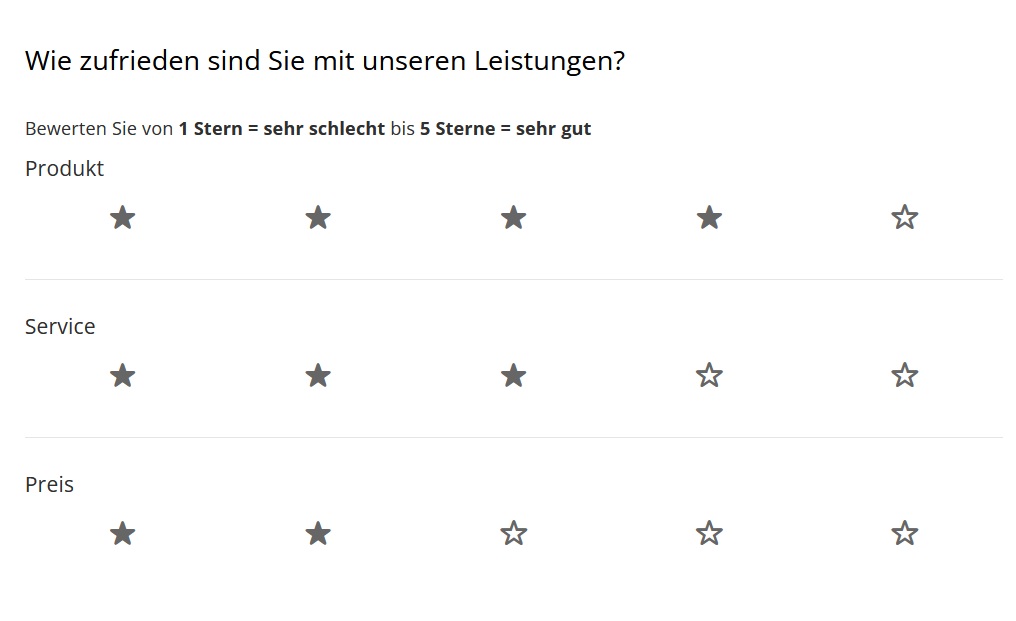
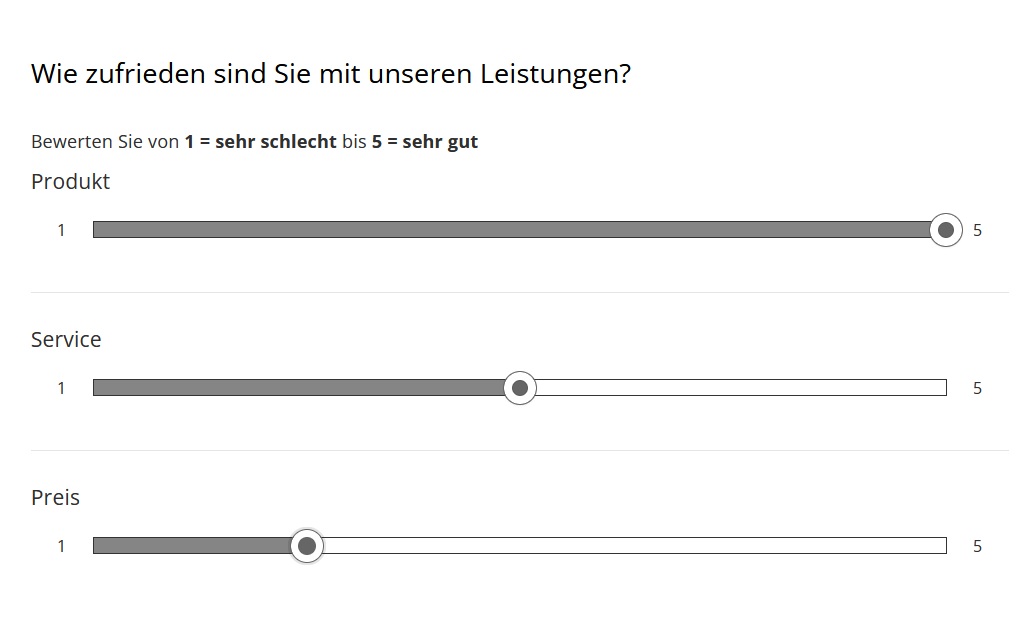
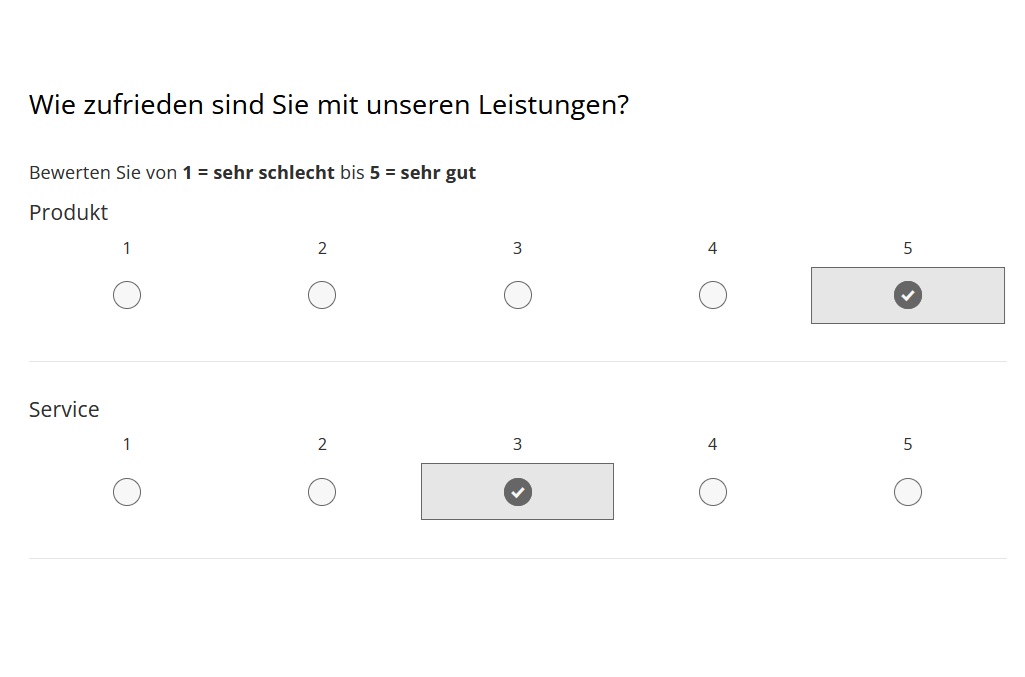
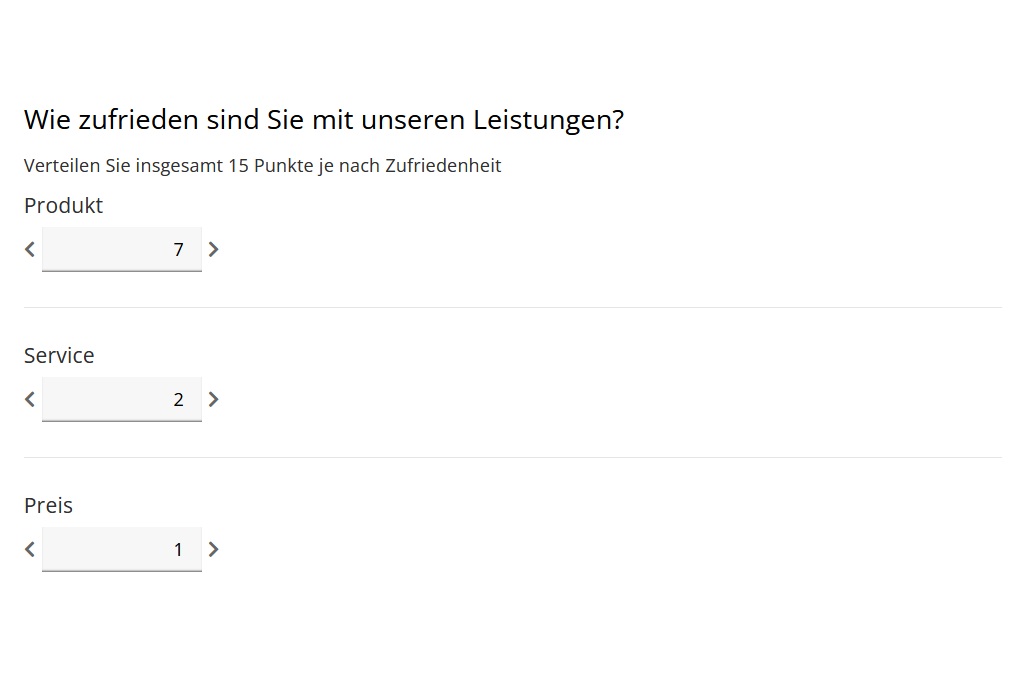
Fig.: Examples of rating questions / scale questions
Rating questions: polarity profile
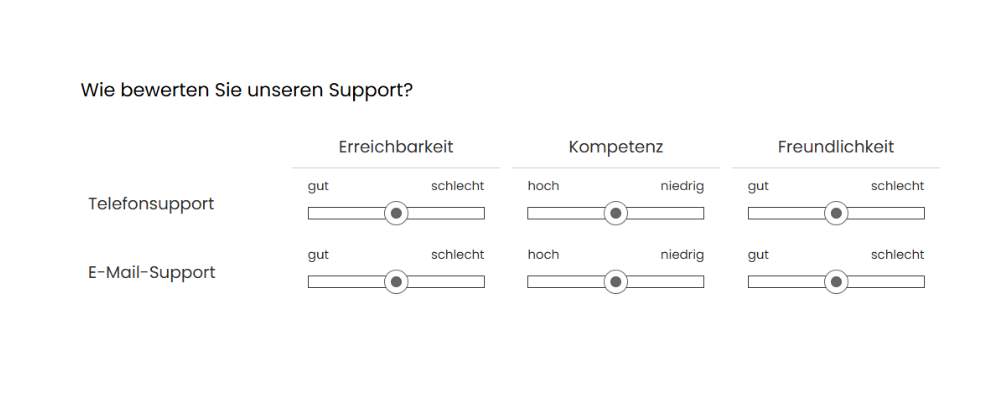
With a polarity profile, or semantic differential, you use pairs of opposites to ask for a clear opinion or a distinct motivation. The principle is simple: instead of a yes-or-no question, you deliberately use polarising answer options such as “large - small”, “simple - complicated” or “expensive - cheap”. It is important to choose genuine opposites and to avoid answers such as “clear - unclear”. Whereas a yes/no question has no gradations, the polarity profile uses a Likert scale. Your respondents can approach the polarising answers you have chosen in intervals. A five-point scale is common, with the middle option being neutral.
Visually, the polarity profile resembles a matrix question, because you usually rate several items under one question. But since this question type belongs to the rating questions, you also have all the advantages when it comes to analysing the results. Here, too, you get values for variance, averages, standard deviation and a histogram. Visually, much is up to you as well: you can use classic option fields, sliders, star ratings or numerical entries.
An example: As mentioned, a polarity profile is suitable wherever you want to obtain an opinion with a clear position. If your aim is to conduct a customer survey on user experience and usability in order to get an impression of the user experience, polarity profiles are ideal. This lets you easily determine whether your product is perceived as “simple or complicated” or “understandable or confusing”, for example.
In summary, a polarity profile is a simple, versatile means of obtaining a clear motivation and opinion. You even have the option of capturing differentiated opinions with subtle distinctions when respondents position themselves between the two poles of the scale. This simple method also creates a high degree of comparability within your analysis.
In addition, numerous options are available to you when analysing the rating question. When compiling your set of questions, however, make sure to formulate clearly understandable and easily recognisable opposites in order to prevent misinterpretation. Only then can you be sure that participants are able to make a deliberate decision.
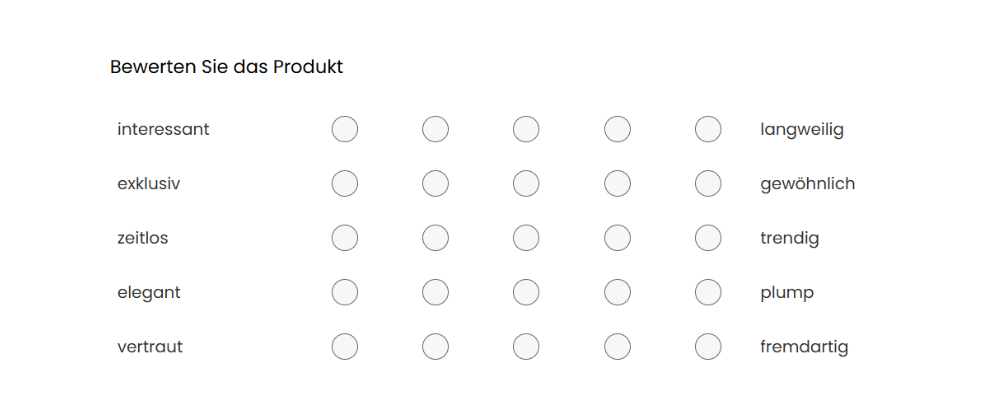
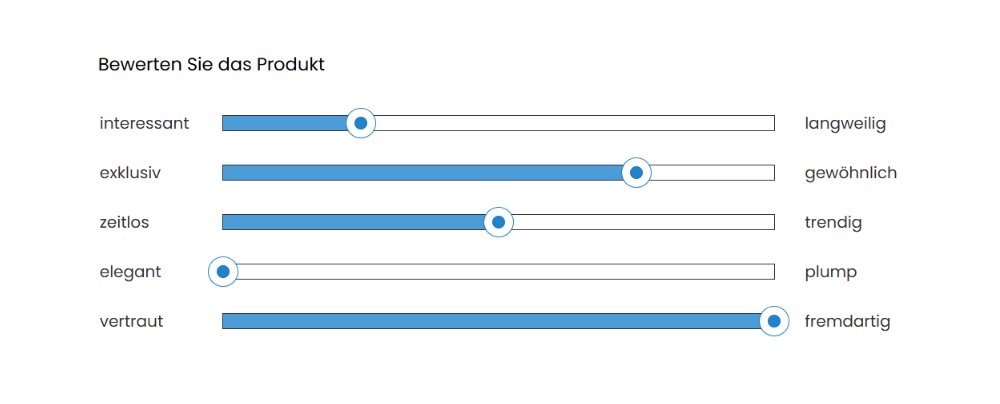
Rating questions: scale questions
In scale questions, respondents indicate a perception, attitude or opinion on a scale. With the polarity profile, we have already shown you that opposing poles can be represented using sliders or star ratings, among other things. These are, of course, also scales. In general, however, scale questions are even more varied. Use images or emojis for your rating scale, for example, and thus dispense with word pairs entirely. This adds variety, gives your participants new impulses and uses a question type that is quick and intuitive to understand.
Another option available to you is representing trends on scales. This gives your respondents the chance to give a very precise and differentiated answer on a scale from 0 to 100 per cent.
An example: You run regular online events such as webinars and would like meaningful feedback on your digital events. Simple sliders with or without emojis, or star ratings, are particularly suitable for eliciting a clear opinion without many words or lengthy explanations. This makes it possible, for example, to ask about the availability of the live-stream chat or to make general enquiries, such as how satisfied users were with webinars.
Scale questions make it possible to quantify opinions and attitudes and also make them comparable, since all respondents answer on the same scale. This makes your analysis easier in the end. There are also hardly any disadvantages. As always with question selection, however, pay attention to the wording. Focus on what truly matters so that respondents can give a clear answer using the scale you have chosen. The more precise the answer levels, the fewer problems can arise in differentiating their answers. Also bear in mind the tendency towards the middle - the less clearly the question is phrased, the more participants tend to choose a neutral answer.
Rating questions: Customer Effort Score (CES)
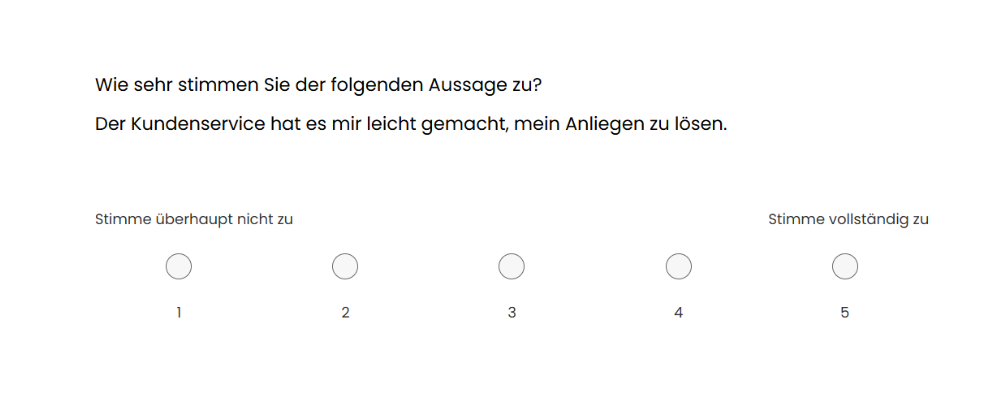
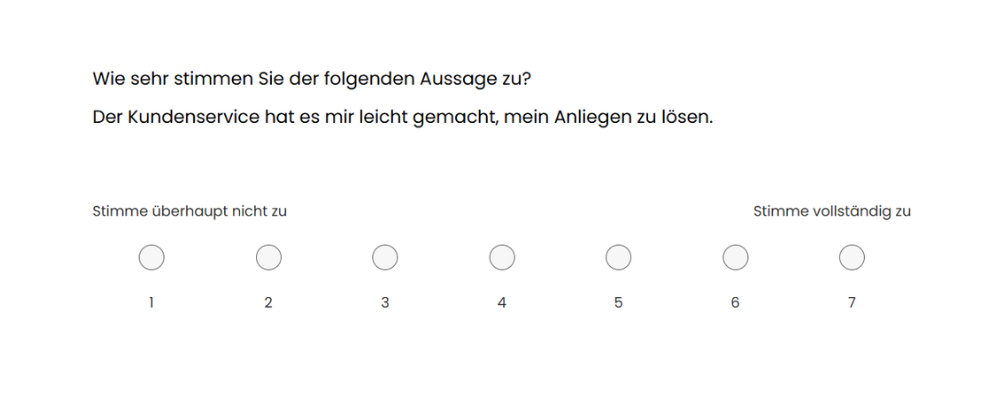
To capture a Customer Effort Score, LamaPoll already offers two suitable question elements for your online survey. You can choose between the CES with five and the CES with seven levels. The answer options range in intermediate steps from “strongly disagree” to “strongly agree”. The advantage: the more choices you give respondents, the more differentiated your analysis becomes.
Much more decisive, however, is the question you choose to capture the Customer Effort Score. Be sure to use clear and simple wording, such as: “How strongly do you agree with the following statement: Customer service helped me solve my problem quickly.” Your goal is to capture the effort the customer had to make to resolve an issue - simple communication is essential here.
The Customer Effort Score is determined by having customers answer one very specific question during an interaction with customer support or after using a particular service. Through this process, companies want to assess the quality of their own customer service and how it deals with their customers. You can find details on the calculation, tips and a questionnaire template here: Customer Effort Score.
Analysing the CES is essential, as the results are valuable customer feedback. All you have to do to find out your score after your survey is take a look at the results in LamaPoll. There you will find the relevant average under “ø values”, which is calculated automatically from the sum of the rating points divided by the number of responses.
Rating questions: Net Promoter Score (NPS)
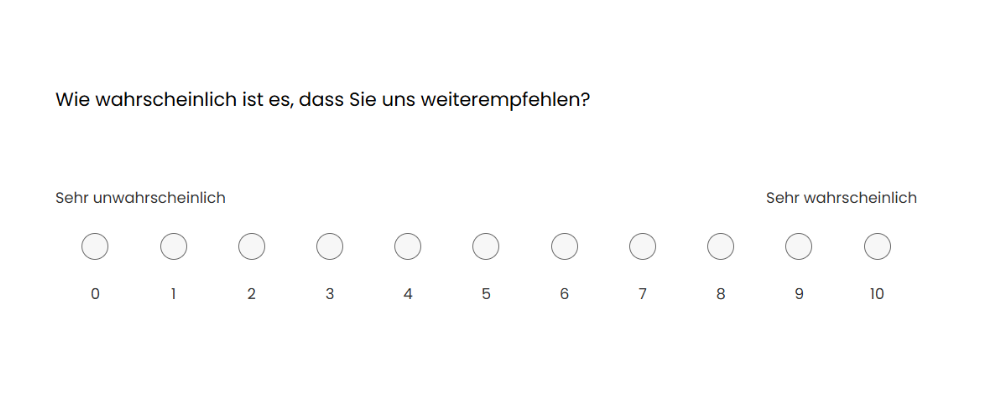
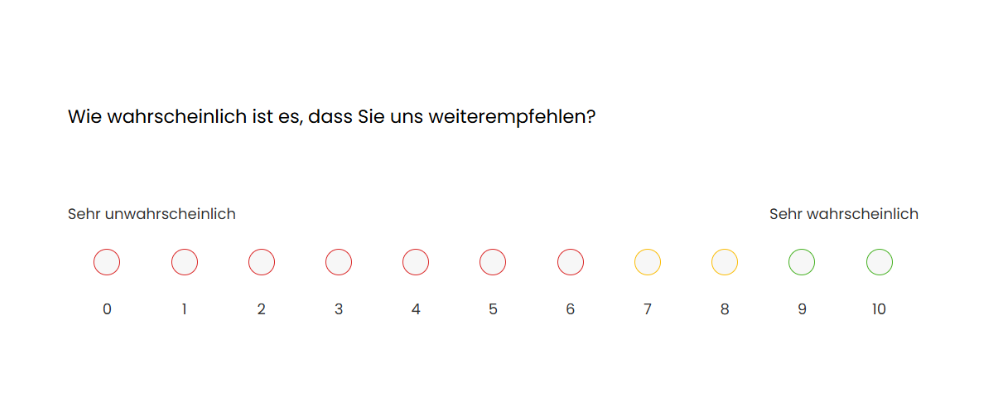
The Net Promoter Score (NPS) is a way of measuring customer satisfaction with a single question. This question aims to determine how likely a customer would be to recommend a service, a company or a product. The answer scale ranges from 0 to 10 (very unlikely to very likely). The advantage: with this simple approach, the NPS can be determined quickly and easily, as respondents can give their feedback without much effort.
Just as with the CES, LamaPoll offers a ready-made standard element for the Net Promoter Score that you only need to insert into your questionnaire. While you are at it, add a comment field too, so that participants can give a reason for their rating.
The result is an easy-to-understand, clear metric that helps you capture and continuously track the performance of a company or a product. You can also use the NPS to carry out an industry benchmark. Further information on calculating and interpreting the Net Promoter Score can be found here: How the NPS is calculated
Matrix questions: standard matrix questions, double matrix & triple matrix
In a matrix, several similar questions with the same answer range are combined in a table. Respondents always give their answers to the questions on the same scale. Matrix questions are very space-saving, structure related topics and are efficient, as you can ask many questions at once with little effort. There are also various ways to integrate matrix questions into your online questionnaire. The simplest variant is the standard matrix question. Here you can, in theory, ask about any number of aspects using the same answer options.
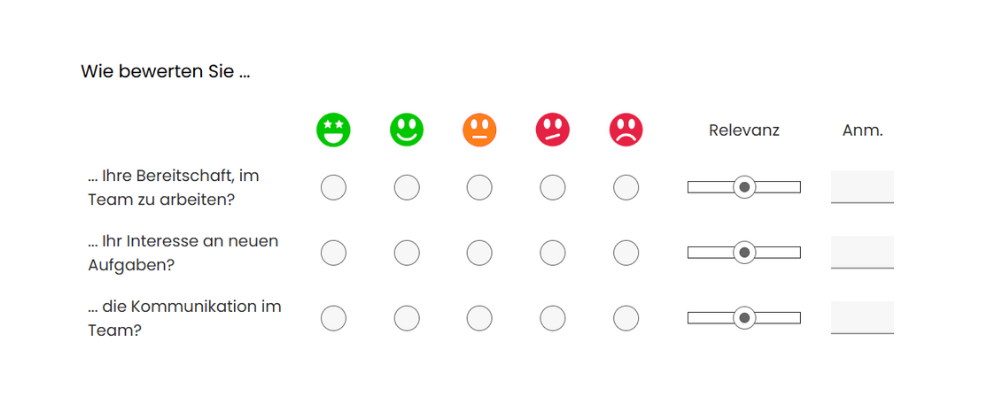
An example: You are planning an employee survey to capture your team's current motivation. Using a matrix question, you want to know whether your pre-selected answers apply - either "yes", "no" or "partly". For example, you could ask whether participants prefer working in a team, whether they are willing to take on new tasks, or whether communication between team members works well. This gives you numerous insights into your team's mood within a single matrix question.
Do you want to know at the same time how relevant the individual items are to respondents? Then use a double matrix and add a slider as a second rating field to better gauge the relevance of the answer. Or opt for a triple matrix and add an input field as a third component, offering space for a comment or remarks.
If these options are still not enough for you, further single-choice fields, input fields or sliders can be added to the matrix. If you can still keep track of this pro-level matrix, you are probably one step ahead of your participants. Because matrix questions have a weak point: the respondents themselves. Due to the repetitive patterns that matrices create, respondents get bored more quickly and tend to align their answers to a pattern as well.
Conversely, this means for you that the answers may not be truthful and may distort your analysis. So it is better to use matrix questions sparingly - especially longer and complex ones - so that respondents keep their focus.
When creating surveys, feel free to use our questionnaire templates, in which the different question types are applied. The free templates can be transferred into your own LamaPoll account and adapted there as needed.

We have been using LamaPoll for many years, both for small, quick surveys and for more comprehensive surveys with many questions, and we are extremely satisfied. Creating surveys is simple and intuitive. We also manage more complex question formats, including dependencies and similar logic, very well. In addition, we can brand our surveys with our logo and matching colours. The company and server location in Germany, as well as the option of a product donation, were also decisive factors in choosing LamaPoll.